

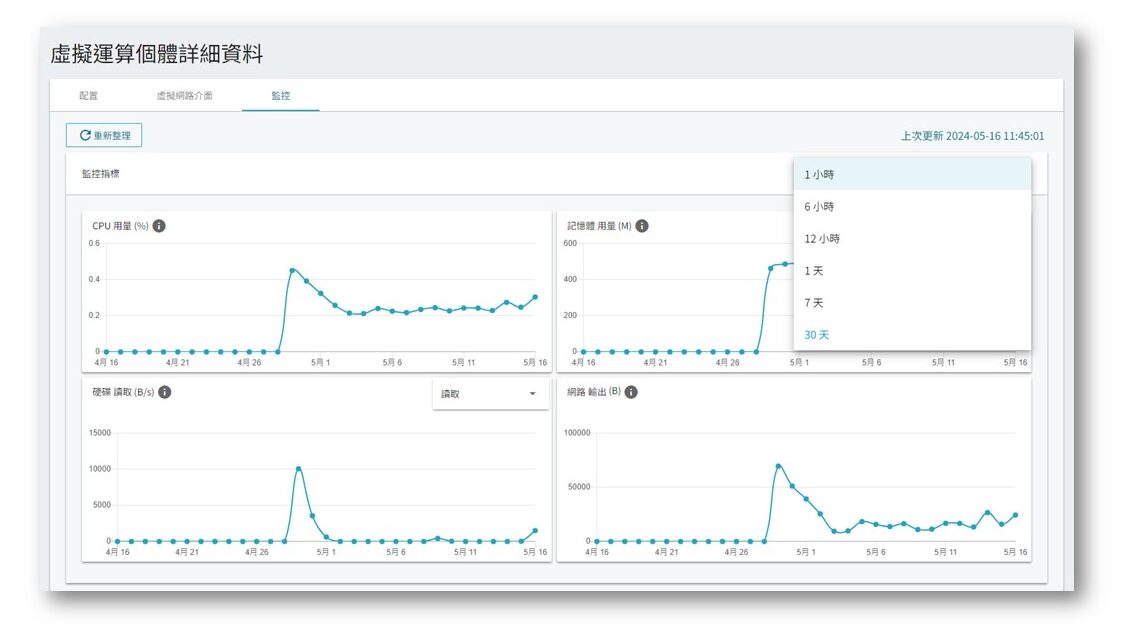
The platform UI allows users to view the computing resource usage of individual VCS instances over a month, including CPU and memory, and also allows users to download monitoring graphs.
If you need to obtain long-term usage data for analysis or report generation, you can refer to the following tutorial on how to obtain various VCS usage data through the API.
Step 1. Obtain Your API Key
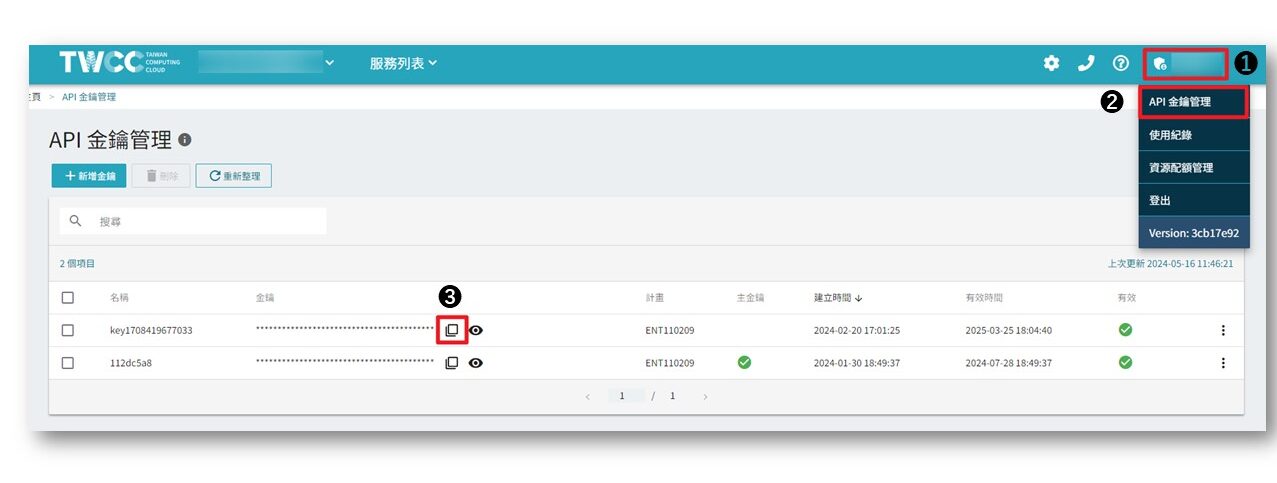
After entering the platform, click your account name in the upper right corner > click API Key > copy API Key:
Step 2. Obtain Project ID
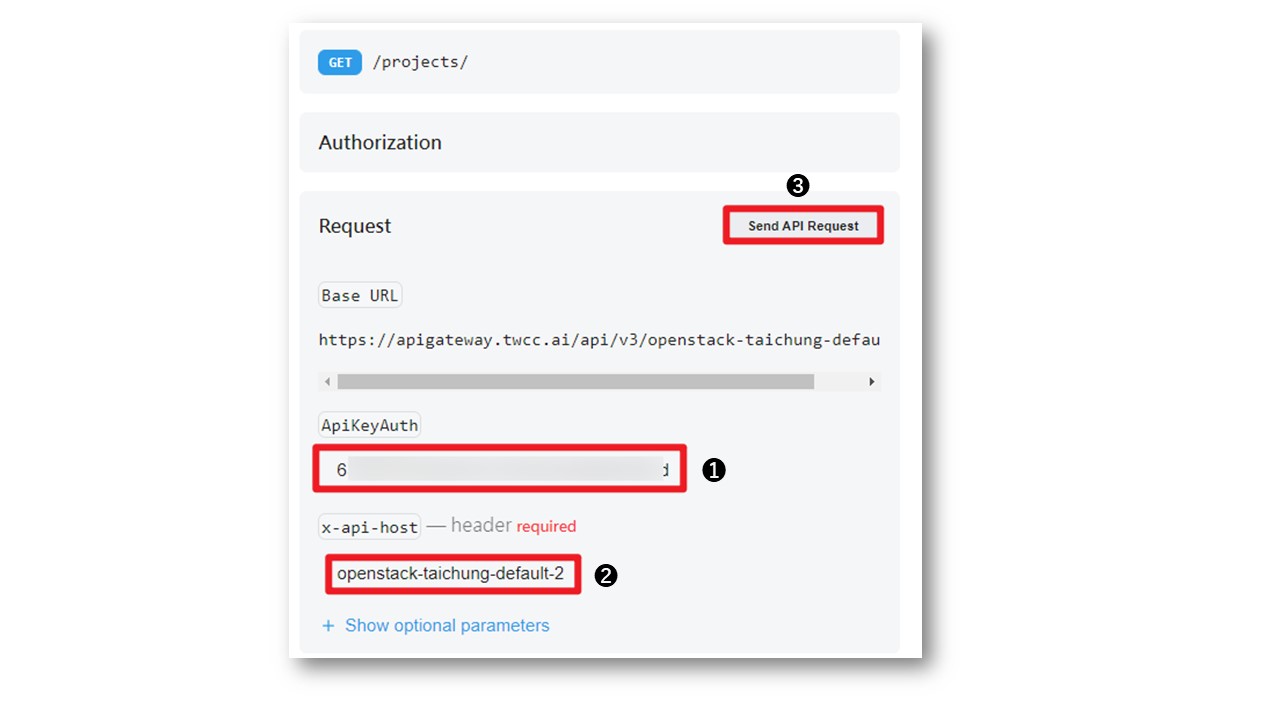
Navigate to the ListProjects API documentation. In the Request section on the right:
(1) Enter the key obtained in Step 1 in ApiKeyAuth
(2) x-api-host Enter openstack-taichung-default-2
(3) Click Send API Request
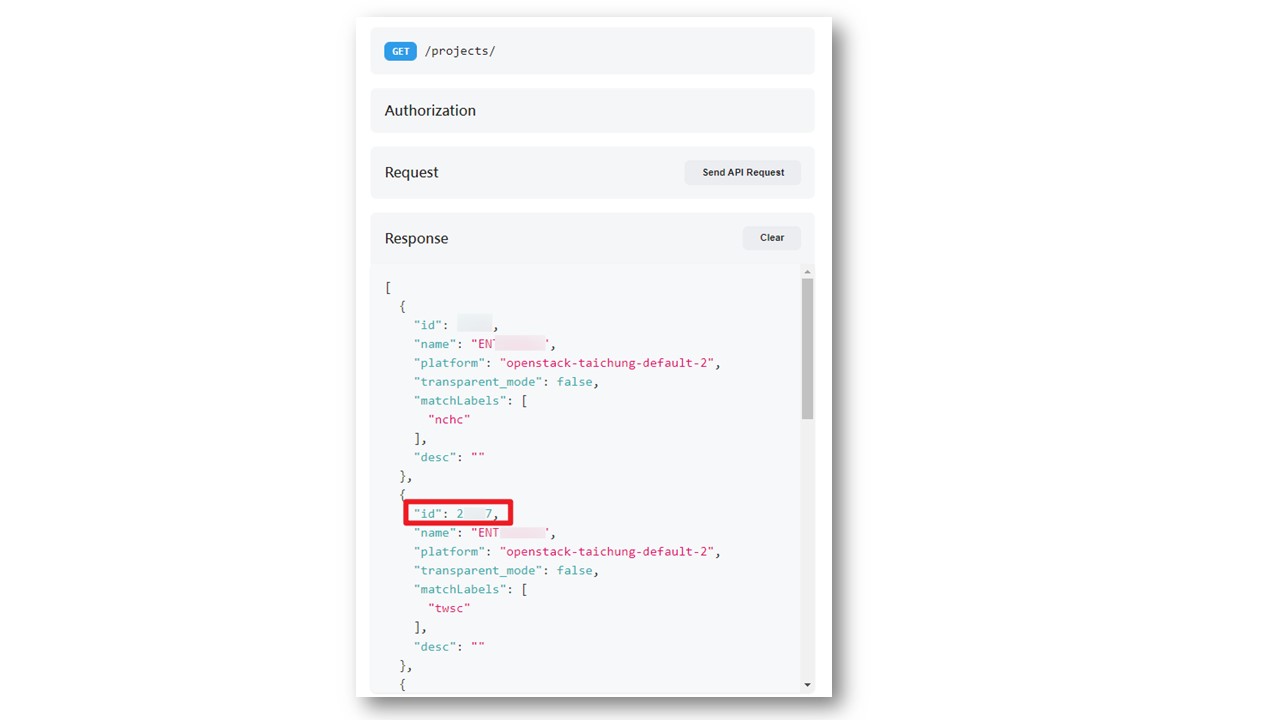
You can then obtain a list of projects you have joined. Please copy your project ID:
Step 3. Obtain VCS ID
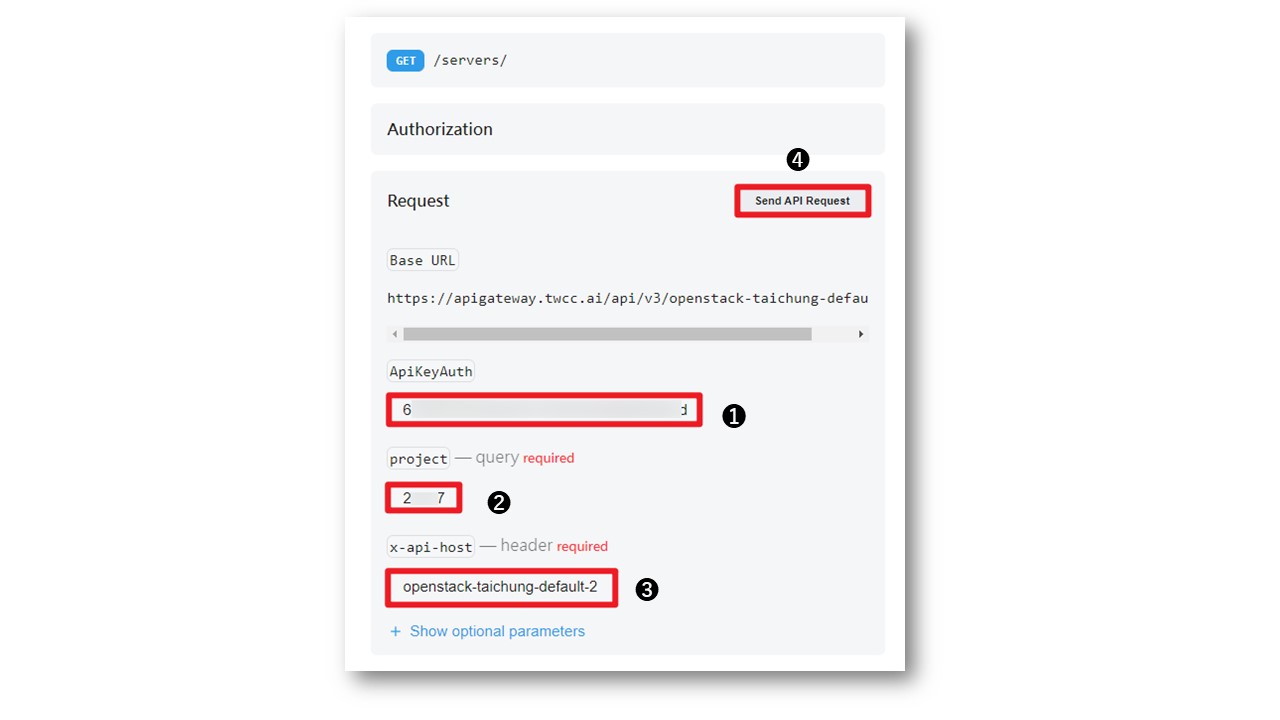
Navigate to the ListServers API documentation. In the Request section on the right:
(1) Enter the key obtained in Step 1 in ApiKeyAuth
(2) Enter the project ID obtained in Step 2.
(3) x-api-host Enter openstack-taichung-default-2
(4) Click Send API Request
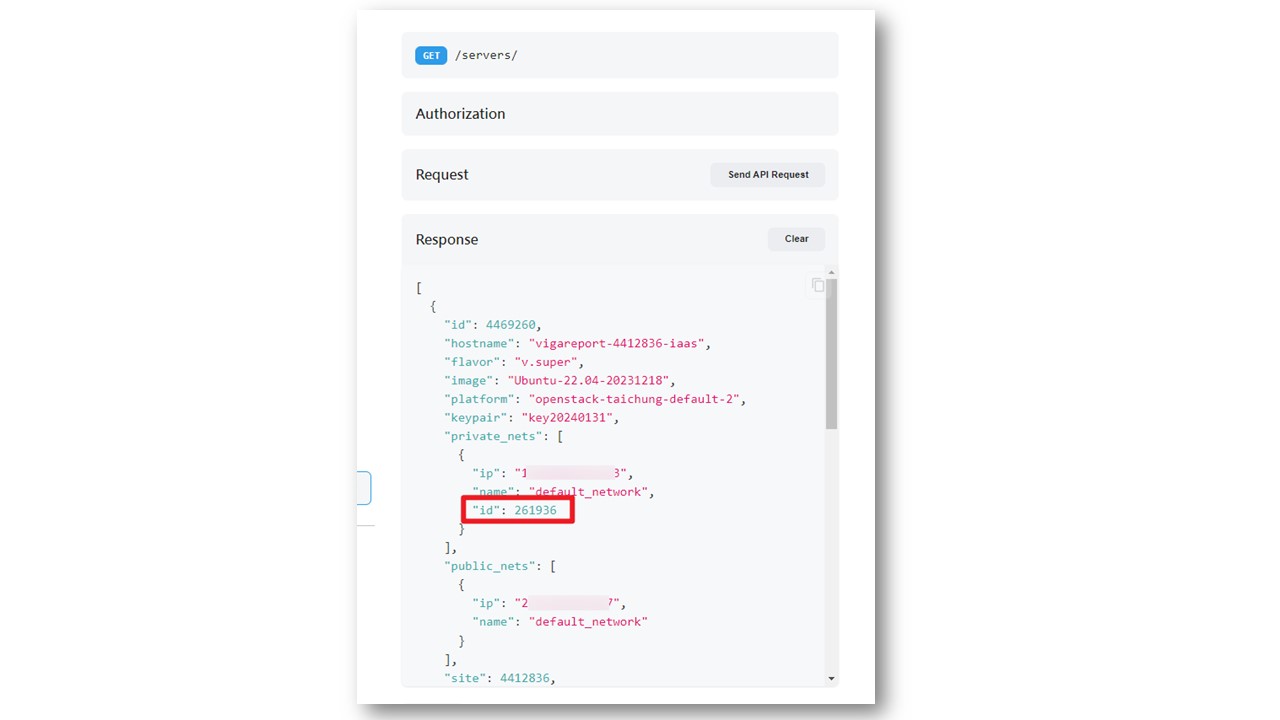
You can then obtain the list of VCSs you created under this project. Please copy the VCS IDs from which you need to obtain the usage:
Step 4. Obtain VCS usage
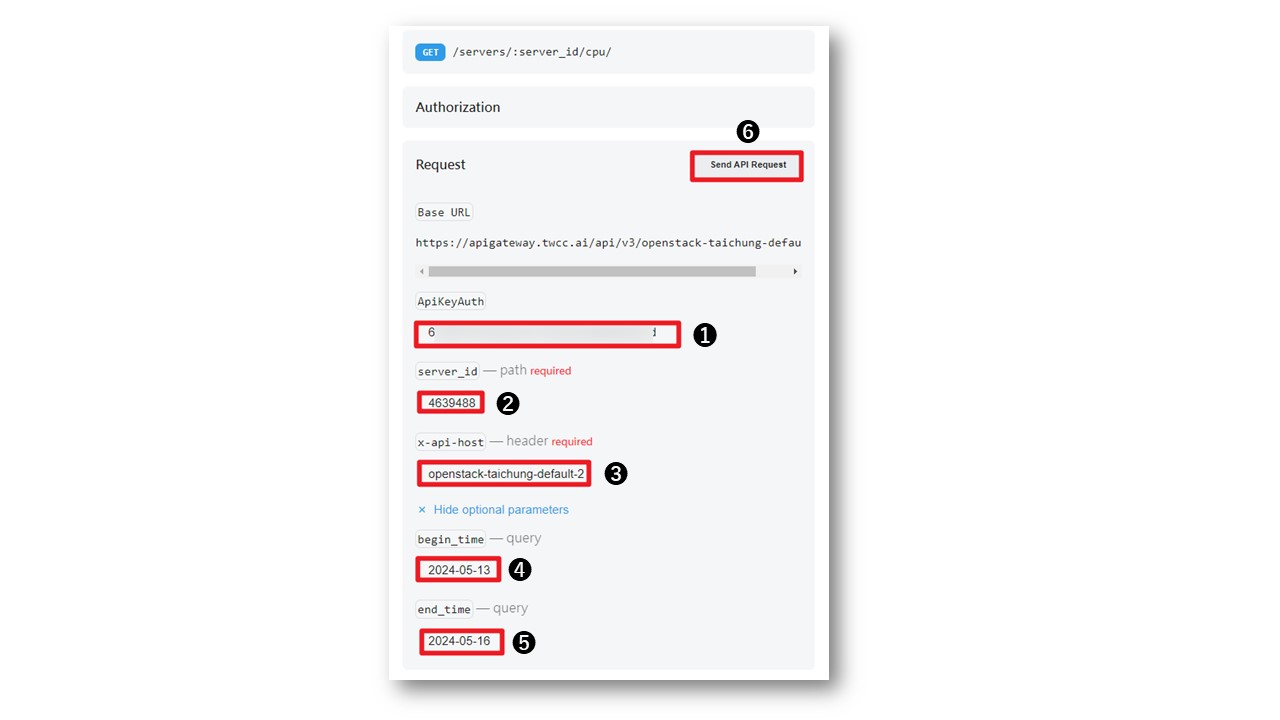
Navigate to the GetCPUUtilizationByServer API documentation. In the Request section on the right:
(1) Enter the key obtained in Step 1 in ApiKeyAuth
(2) Enter the VCS ID obtained in Step 3 for the server_id.
(3) x-api-host Enter openstack-taichung-default-2
(4) begin_time Enter the start time (e.g., 2024-05-15)
(5) end_time Input the end time
(6) Click Send API Request
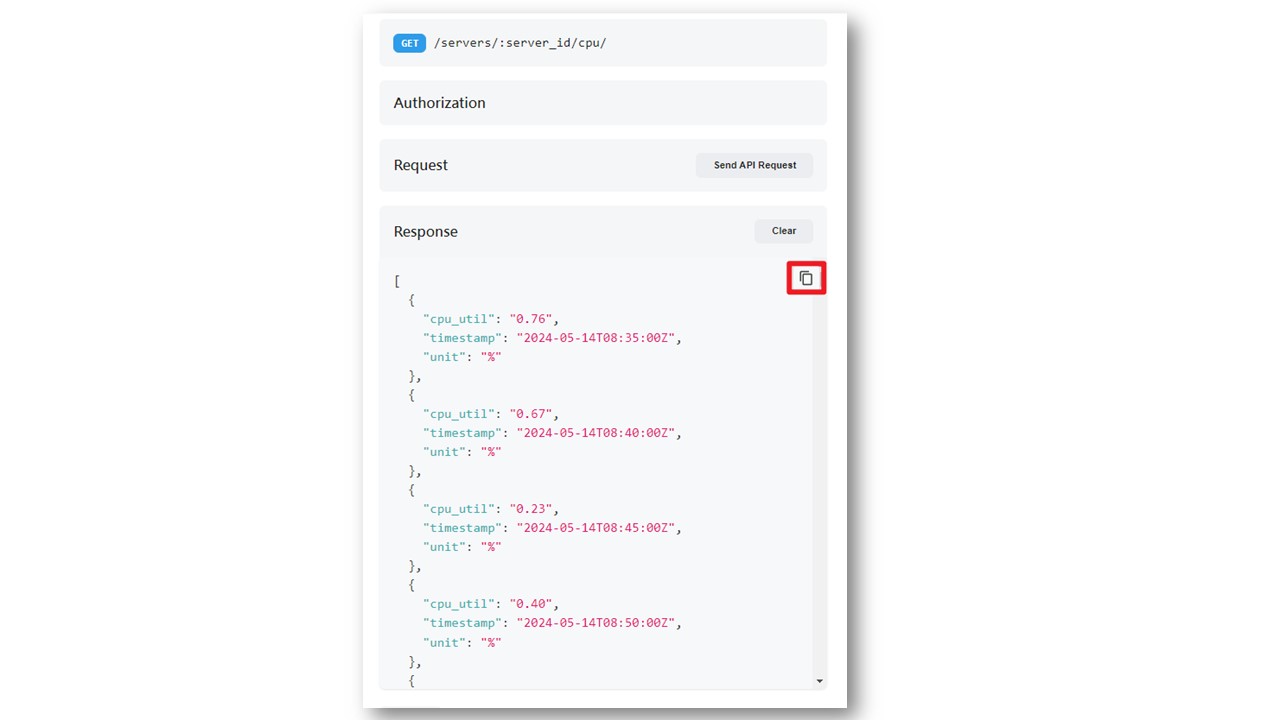
You can then obtain the VCS CPU usage every 5 minutes. All obtained values can be copied from the top right corner of the Response block.
Other Resource Metrics
In addition to the CPU usage mentioned above, you can obtain the values for other resource usages through the following API documentation:
- Disk usage:GetDiskUtilizationByServer
- Memory usage:GetMemoryUtilizationByServer
- Network usage:GetNetworkUtilizationByServer