

In cloud service virtual computing practices, users may need to share files with different hosts or even different operating systems in various service scenarios. To provide a more stable website architecture for sudden activities, achieving load balancing or high availability, file sharing can reduce the storage space required and the time cost of data maintenance. Although various storage environments are provided, such as Virtual Disk Service (VDS), Cloud Object Storage (COS), and Hyper File System (HFS) (Note: see the comparison table below), if users need to achieve cross-cloud storage or on-premises file resource sharing, NFS is a good solution.
The functions, features, and storage space comparison of the three services are as follows:
| enterprises to | High-Speed File System (HFS) | Virtual Disk Service (VDS) | Cloud Object Storage (COS) |
| Supported Services | ● Container Computing Service (CCS) ● High-Performance Computing (HPC) Service |
● Virtual Computing Service (VCS) | ● Using TWCC CLI and containers |
| Data Transfer | ● Upload and download files via SFTP ● Transfer via TWCC CLI and Cloud Object Storage Service (COS) |
● Transfer via TWCC CLI ● Use SSH to connect to the virtual compute instance for mounting, and transfer files via SFTP |
● Requires third-party software |
Using virtual compute instances to quickly build an NFS service,,you can flexibly mount multiple virtual disks as needed for expansion, share file data across disks, and freely allocate additional storage space for instances, making it the best choice for intelligent computing and cost savings.
NFS setup instructions (using WINDOWS as an example):
1. Create virtual computing instances and mount virtual disks.
You can refer to the user manual to select an appropriate instance type based on your needs, and create a virtual compute instance and disk space.Documentation link
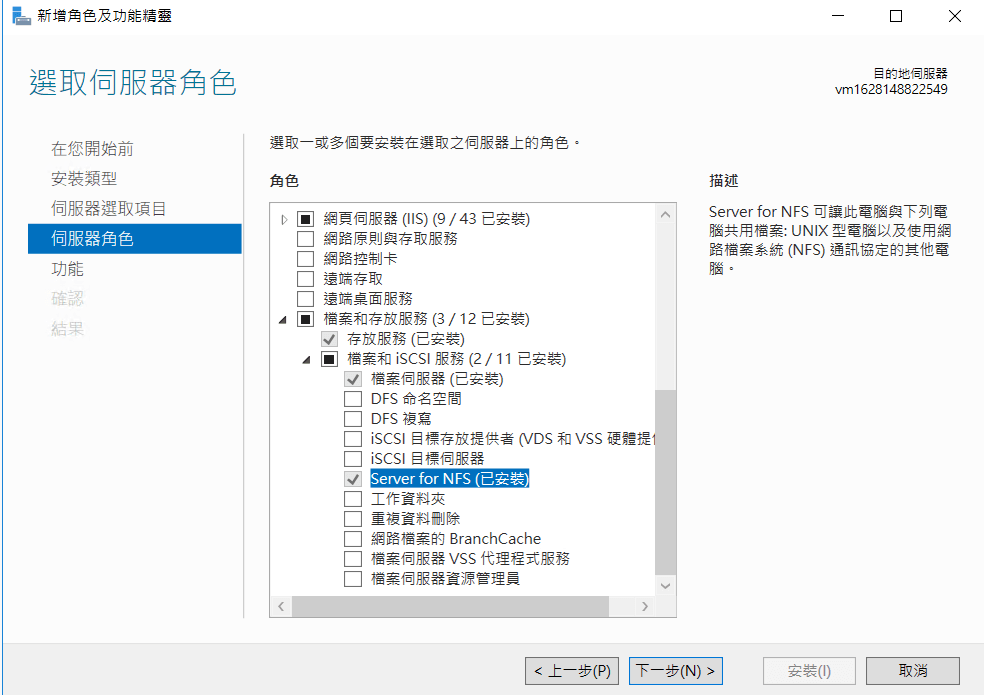
2. Install NFS Server
In Server Manager, select Add Roles and Features, and check Server for NFS under File and Storage Services to provide NFS service.
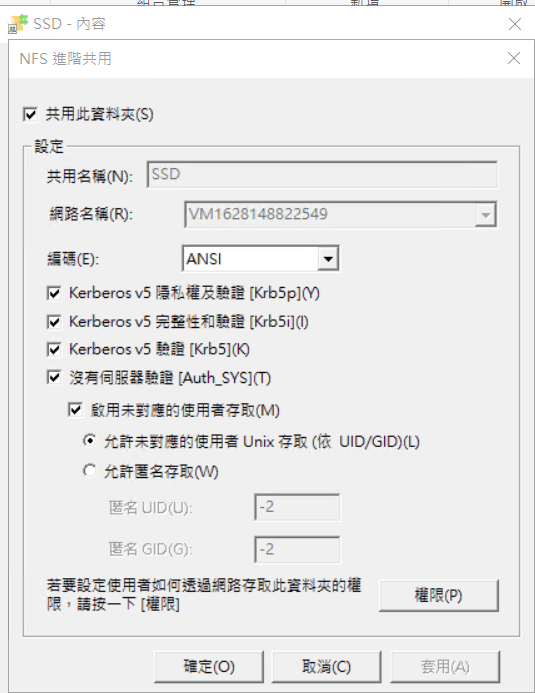
3. Select the directory or file to share and set access permissions.
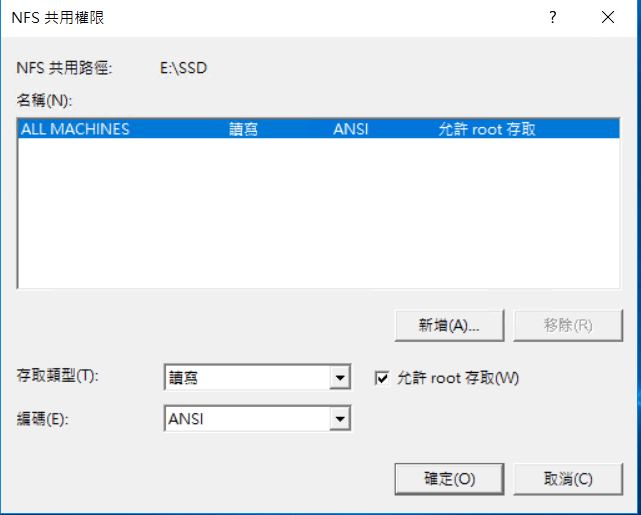
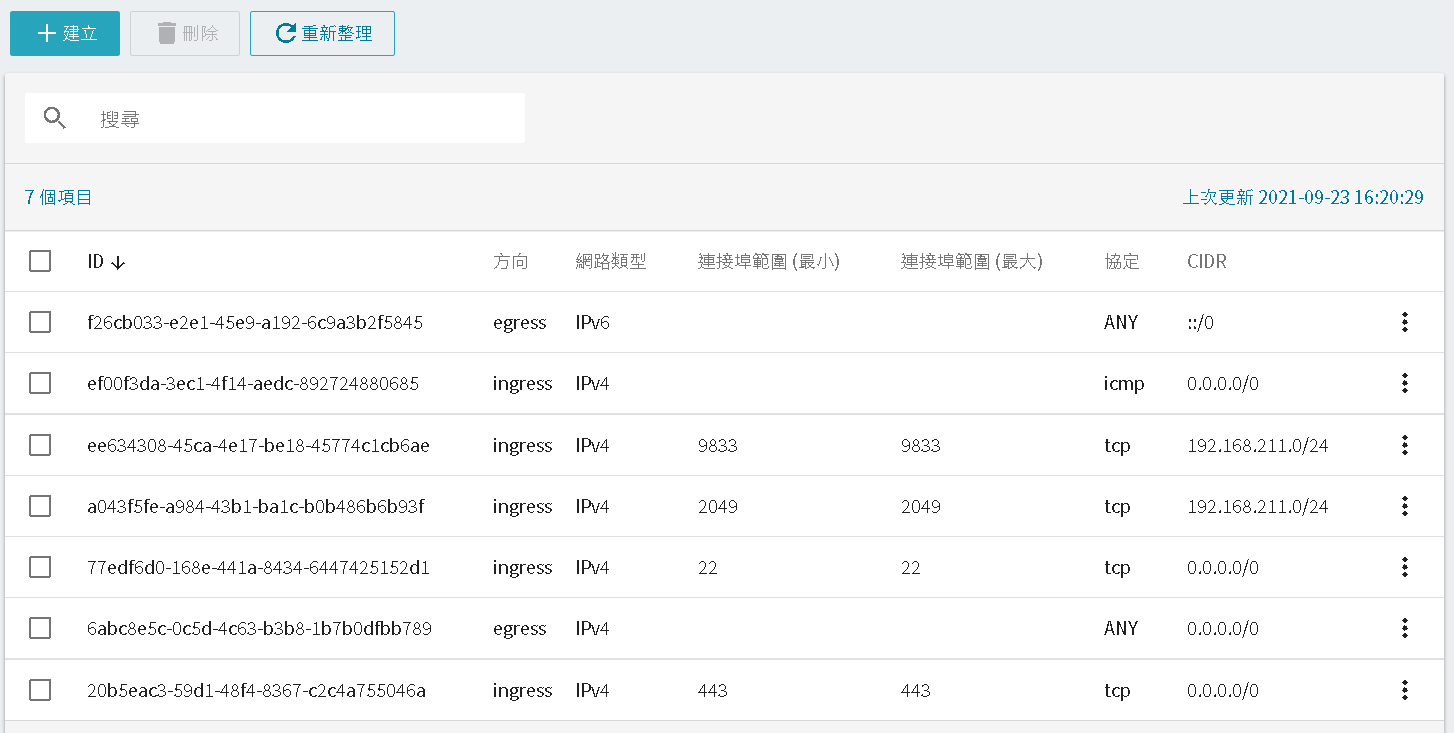
- Configure security group permissions.Users can set security rules to control network access to the virtual compute instance, managing the allowed network segments, protocols, and ports for inbound and outbound traffic.
The default NFS service connection port is 2049, and users can change it if needed.
,
- Install the NFS CLIENT package on the client and mount the NFS service.
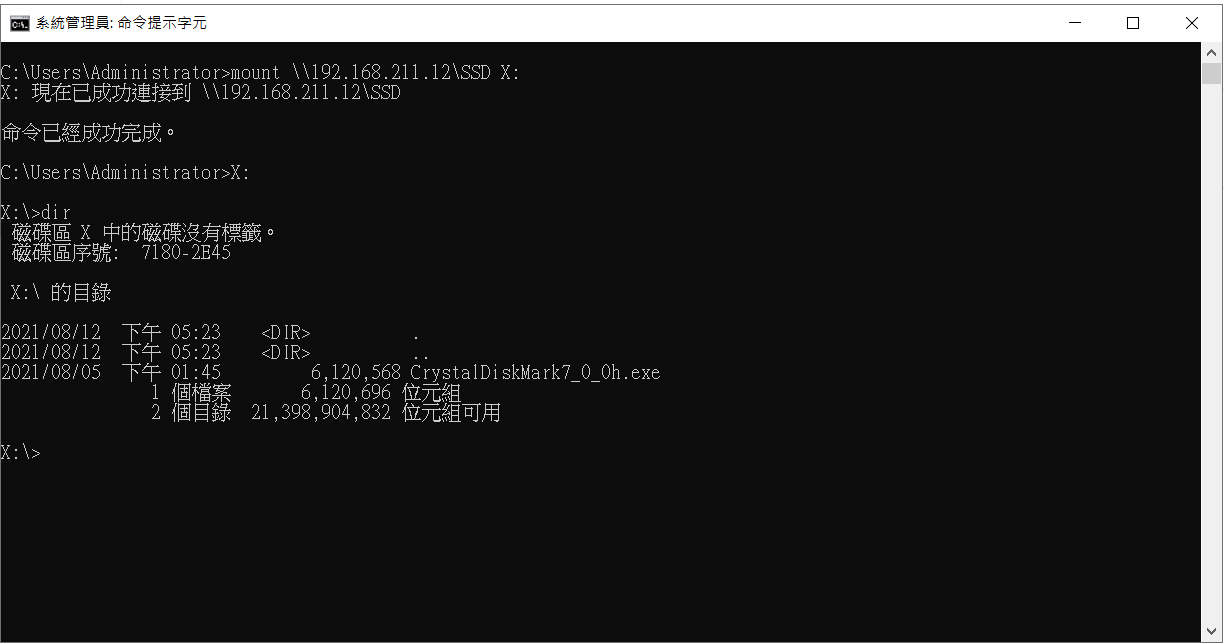
- After mounting, the user’s local or cloud host can access the shared NFS space..
Image source: pexels