

The TWCC container environment is a very convenient and user-friendly service for AI model developers. It provides a high-speed storage system, multiple AI frameworks, and supercomputing power, allowing users to reduce wasted time.
Introduction
This article will demonstrate how multiple users can share a single container, enabling collaborative development within a unified environment. By setting up passwords, the risk of information security breaches can be reduced.
Prerequisites
Entering the execution environment of the development container command line
Procedure
1. Create an account
sudo useradd -m -s /bin/bash
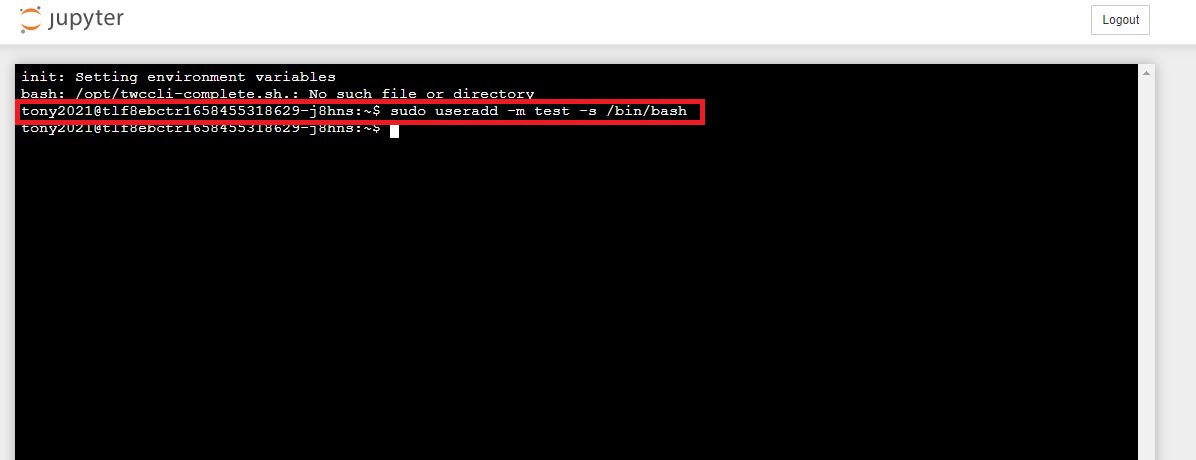
2. Set a password
sudo passwd
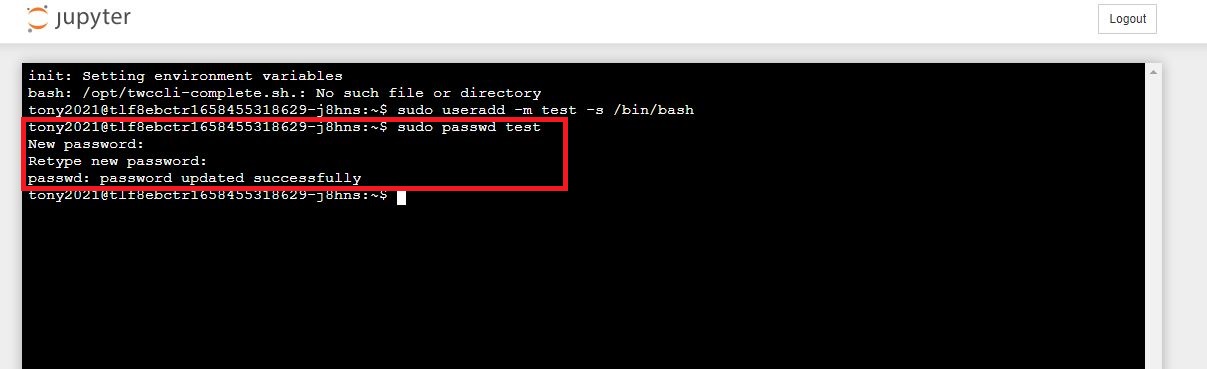
3. Add the account to /etc/security/access.conf
sudo sed '1a + : : ALL' -i /etc/security/access.conf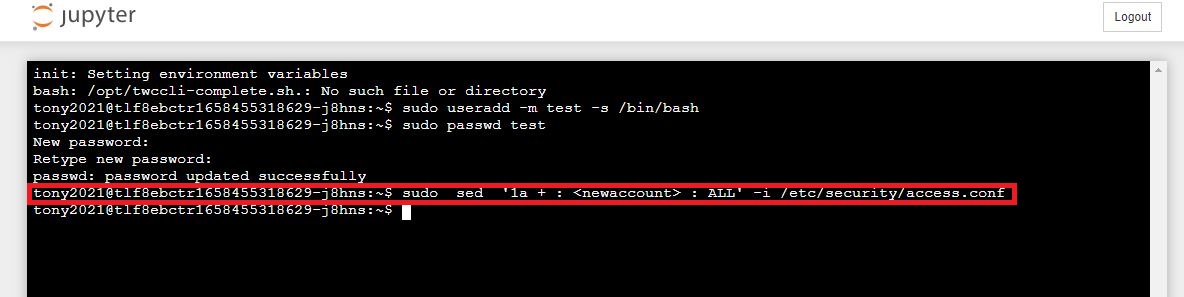
4. On the container management page, obtain container connection information and replace the account.
sudo ssh @203-145-219-138.ccs.twcc.ai -p 12345
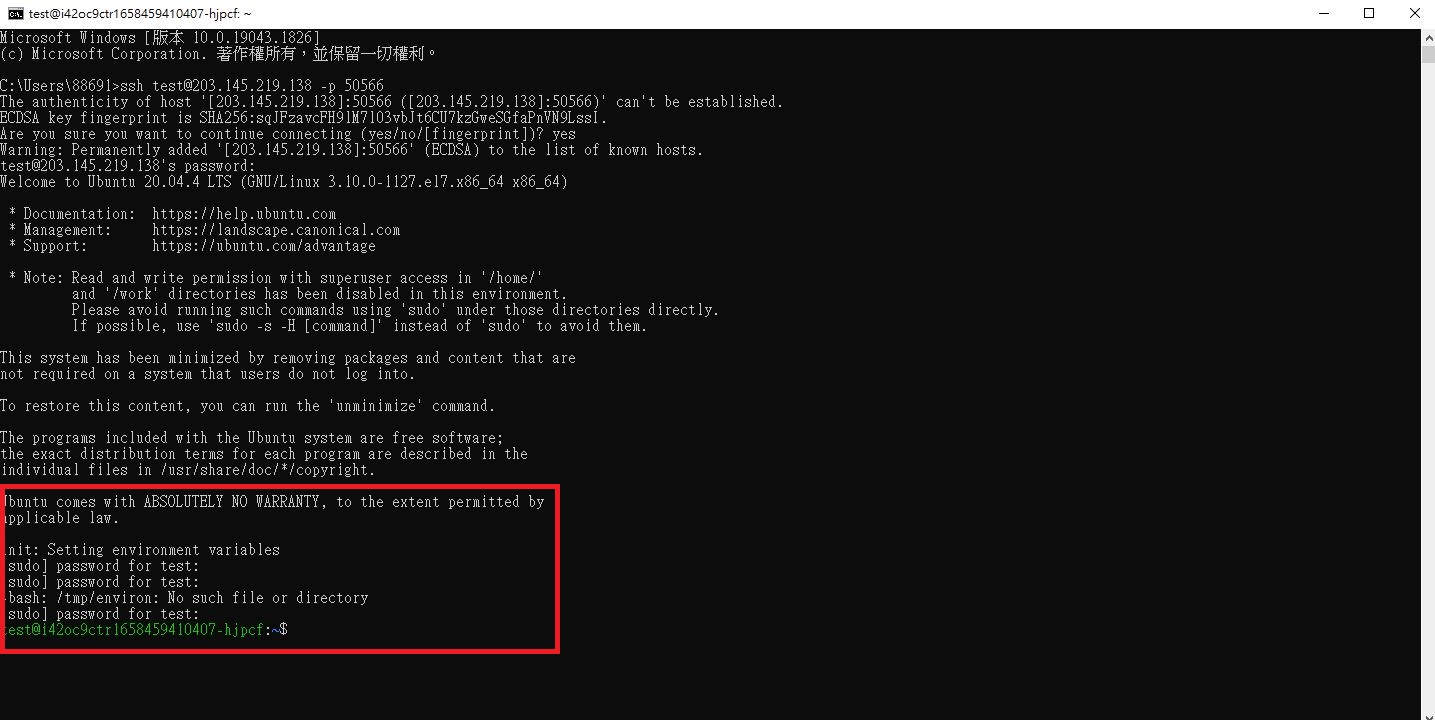
5. Establish an SSH connection
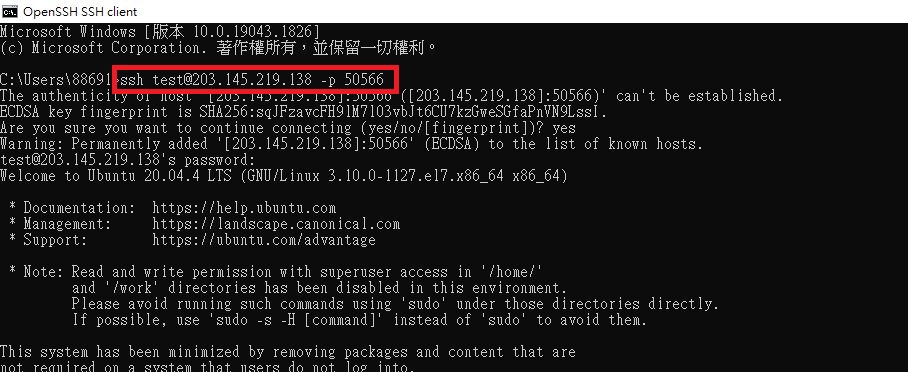
6. Upon first login, you will be prompted to enter the root password. You can skip this step by pressing Ctrl+C and entering the container environment.
init: Setting environment variables
[sudo] password for testuser:
[sudo] password for testuser:
-bash: /tmp/environ: No such file or directory
[sudo] password for testuser:
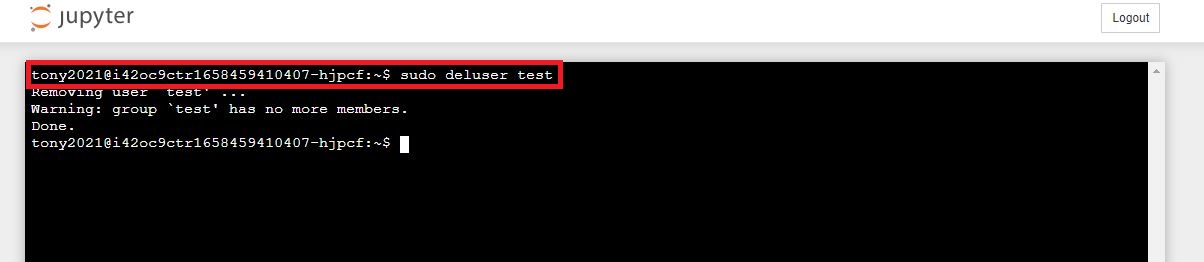
7. Delete the account that provided the connection.
sudo deluser test
User control must be strictly enforced for any login accounts you set up yourself to avoid creating future security vulnerabilities.