If you need to extend the timeout values of your Load Balancer (LB) to accommodate specific service or webpage response times, the following tutorial demonstrates how to quickly adjust the three types of LB timeout values via the API documentation page.
The Three Default LB System Timeout Settings::
-
timeout_client_data int32
Listener frontend client inactivity timeout in milliseconds. Default: 50000.
-
timeout_member_connect int32
Listener backend member connection timeout in milliseconds. Default: 5000.
-
timeout_member_data int32
Listener backend member inactivity timeout in milliseconds. Default: 50000.
Procedure
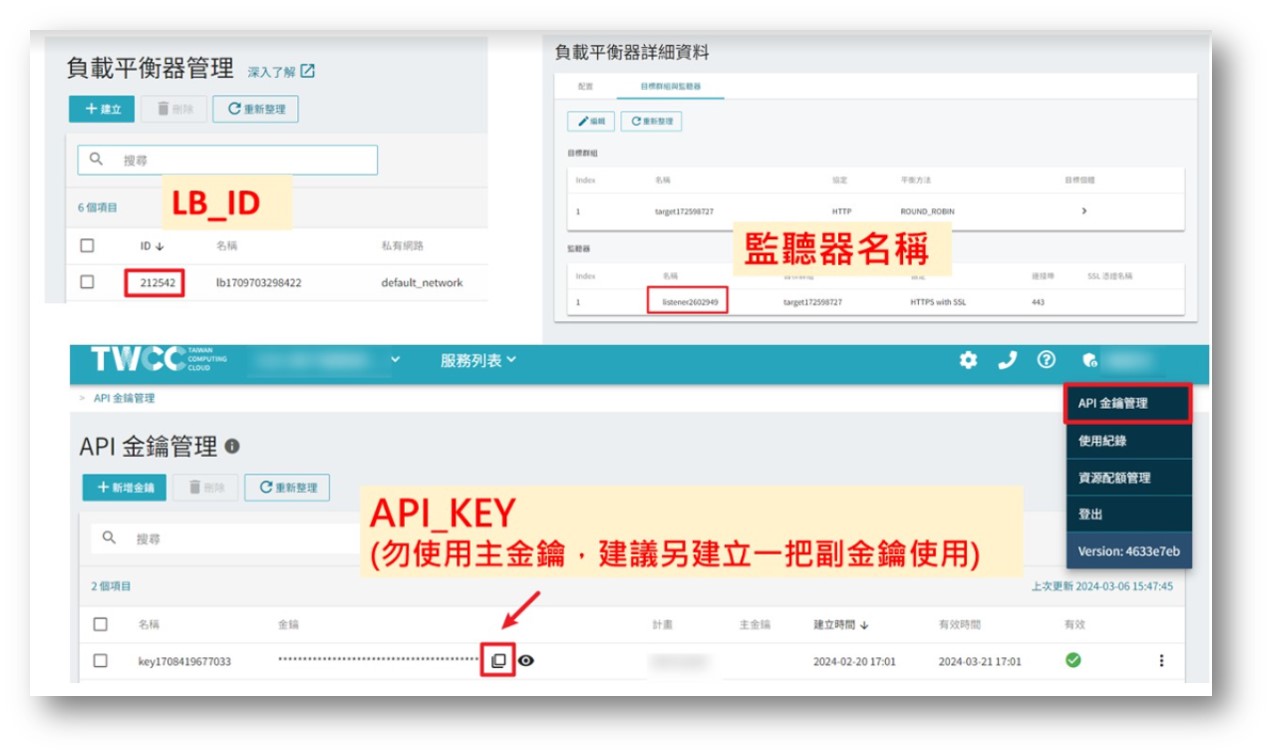
Step 1. Gather Required LB Information
- LB ID
- Listener Name
- API Key
Step 2. Update LB Parameters
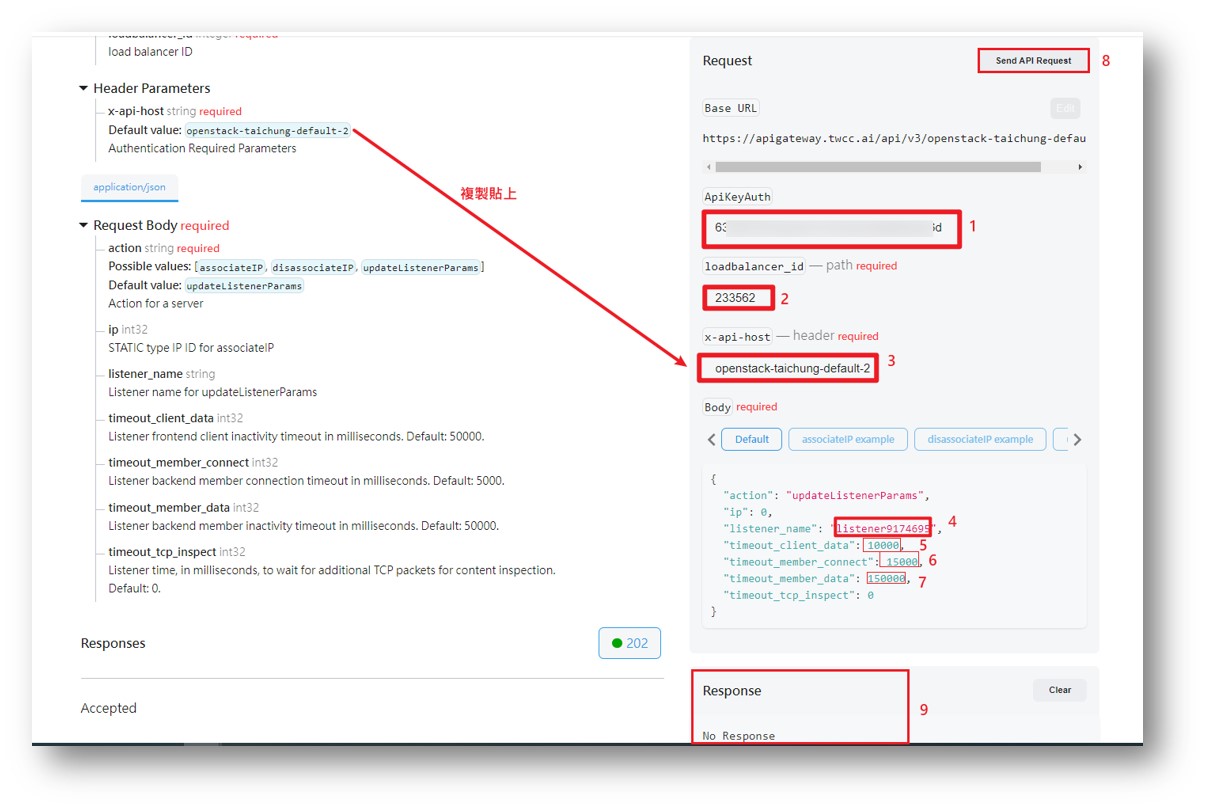
- Go to the ExecuteActionLoadBalancer API page.
- Enter or execute the following commands in sequence on the right:
- API key
- LB ID
- Copy and paste the Default value
- Listener Name
- Enter 150000 (adjust the timeout value as needed)
- Enter 15000 (adjust the timeout value as needed)
- Enter 150000 (adjust the timeout value as needed)
- Submit the information
- Retrieve No Response
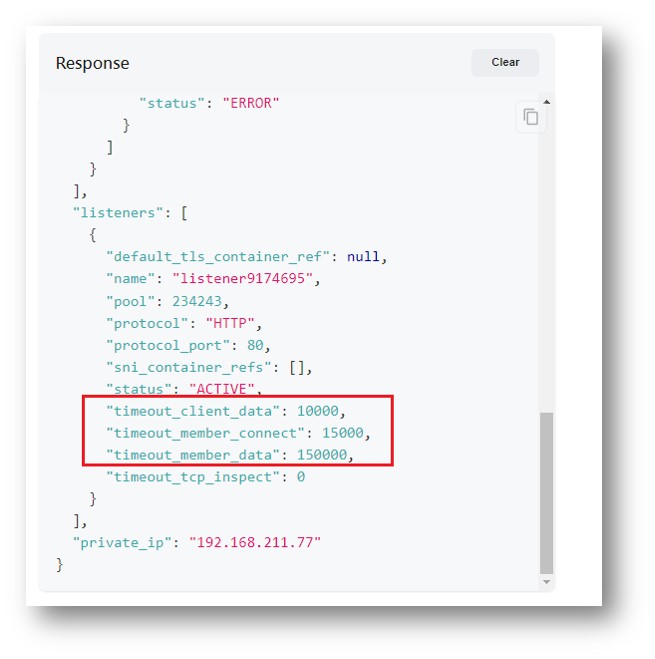
Step 3. Confirm Updated LB Parameters
- Go to the GetLoadBalancerDetail API page.
- Enter or execute the following commands in sequence on the right:
- API key
- LB ID
- Copy and paste the Default value
- Submit the information
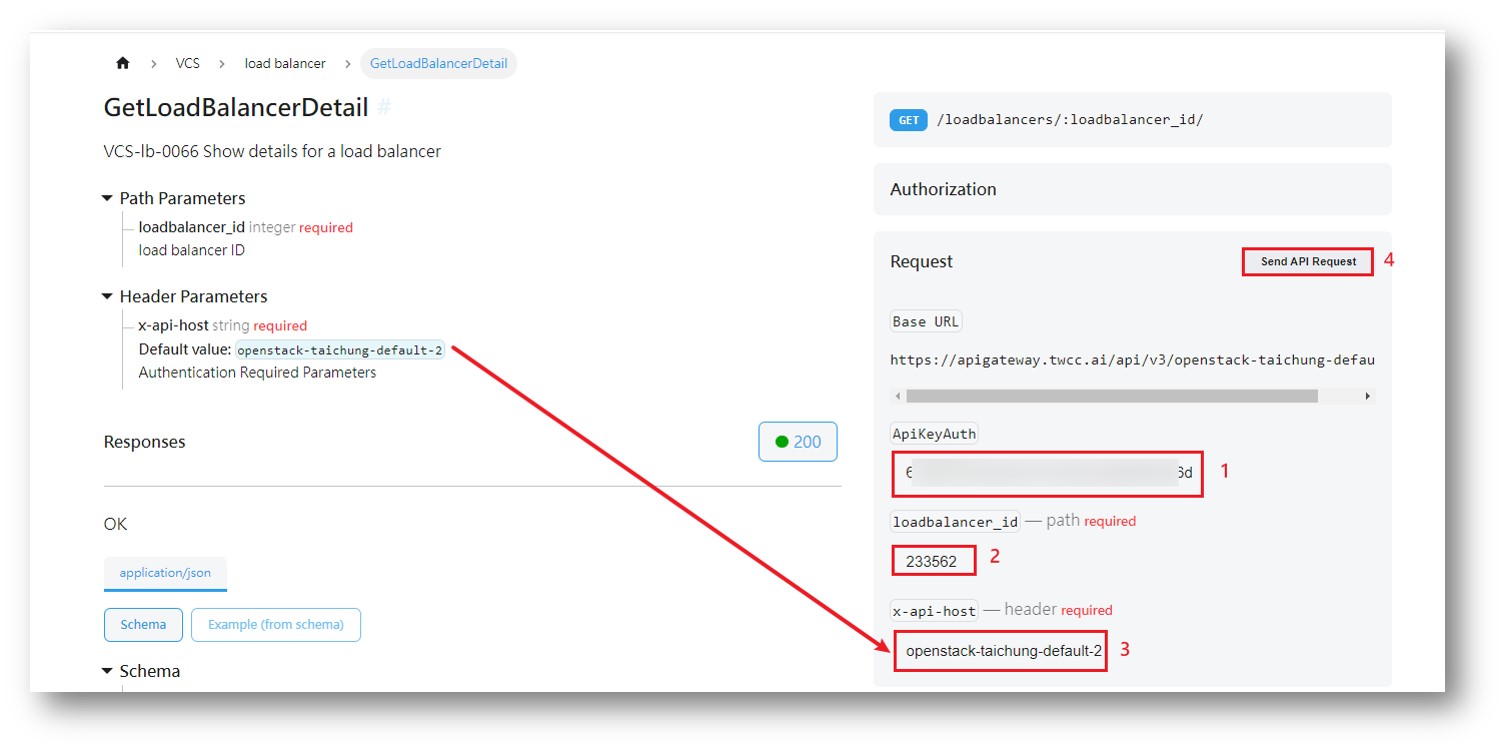 5. The response will retrieve the updated value of the LB timeout.