
TWCC containers provide Jupyter Notebook for users to write and execute programs in a browser. By default, the storage location is under the home directory. Some users may have special requirements to change the storage location. This article provides a method to modify the default storage space for users’ reference.
Introduction
Since some TWCC users have larger HFS /work space but are not familiar with Linux system structure, this article provides instructions to set Jupyter Notebook to open with /work as the default directory, allowing effective use of all available HFS space.
Prerequisites
Create a CCS container that will use /work as the homepage.
Process Overview
- Open the Jupyter Notebook page
- Close Jupyter Notebook
- Access the CCS terminal via SSH
- Enter the command to start Jupyter Notebook with /work as the home directory
Procedure
1. Open the Jupyter Notebook page
Go to the Interactive Container Management page, locate the target container, and open the Jupyter Notebook page.
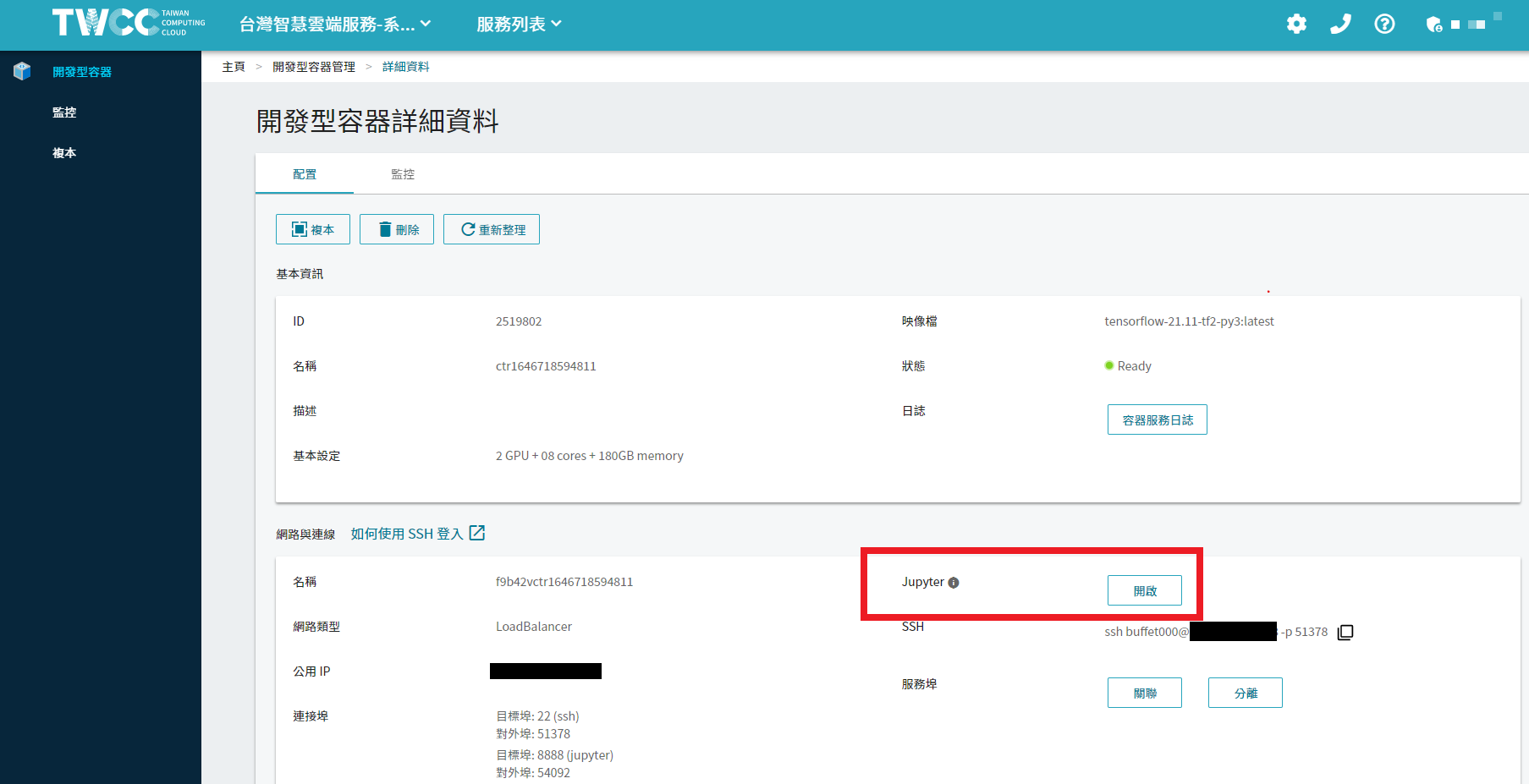
2. Close Jupyter Notebook
Click the "Quit" button in the upper right corner of Jupyter Notebook to close.
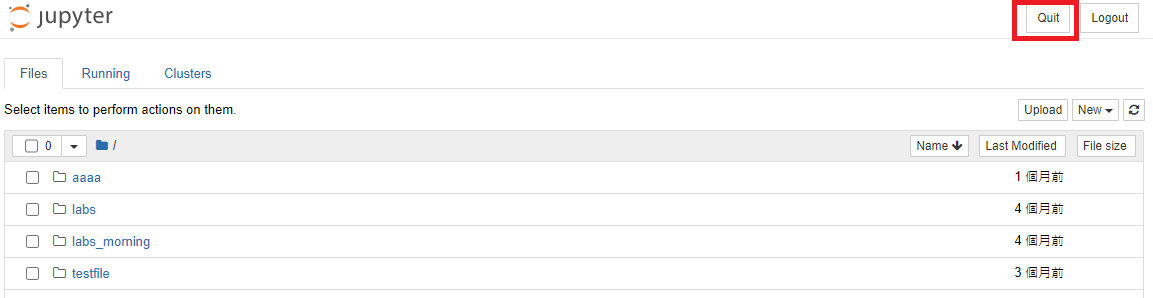
3. Connect to the CCS terminal via SSH
- Click to copy SSH login information
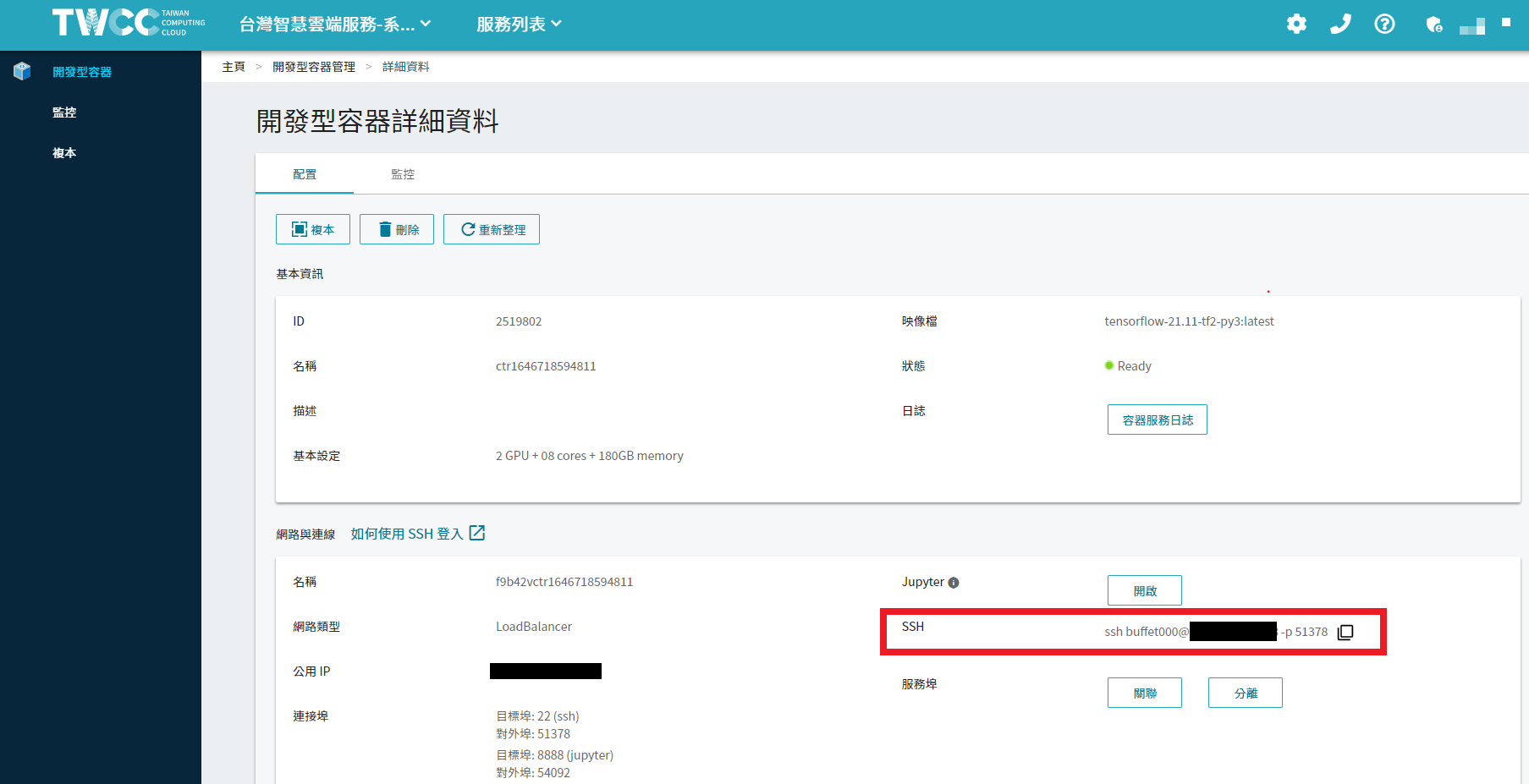
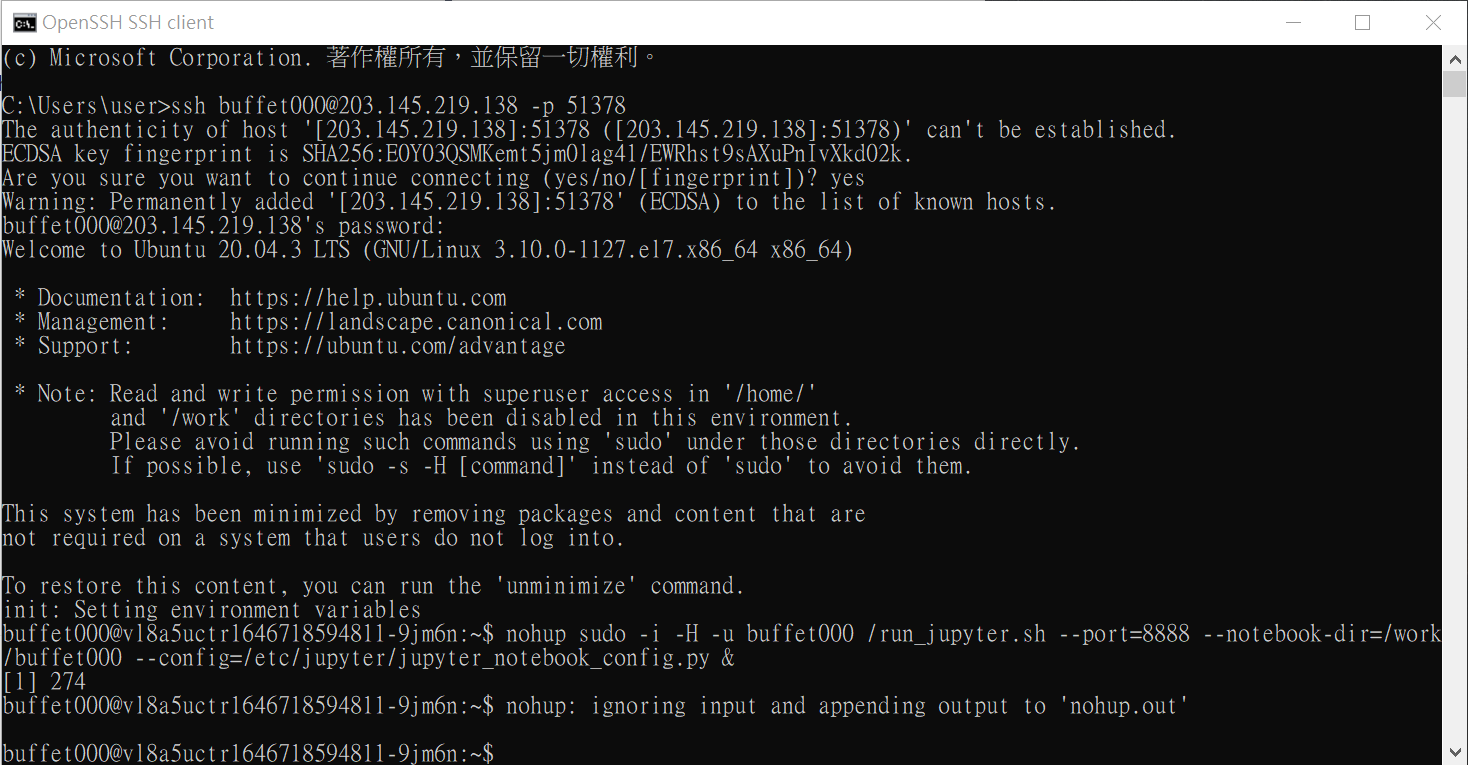
- Log in to the terminal interface of the development container using SSH tools.
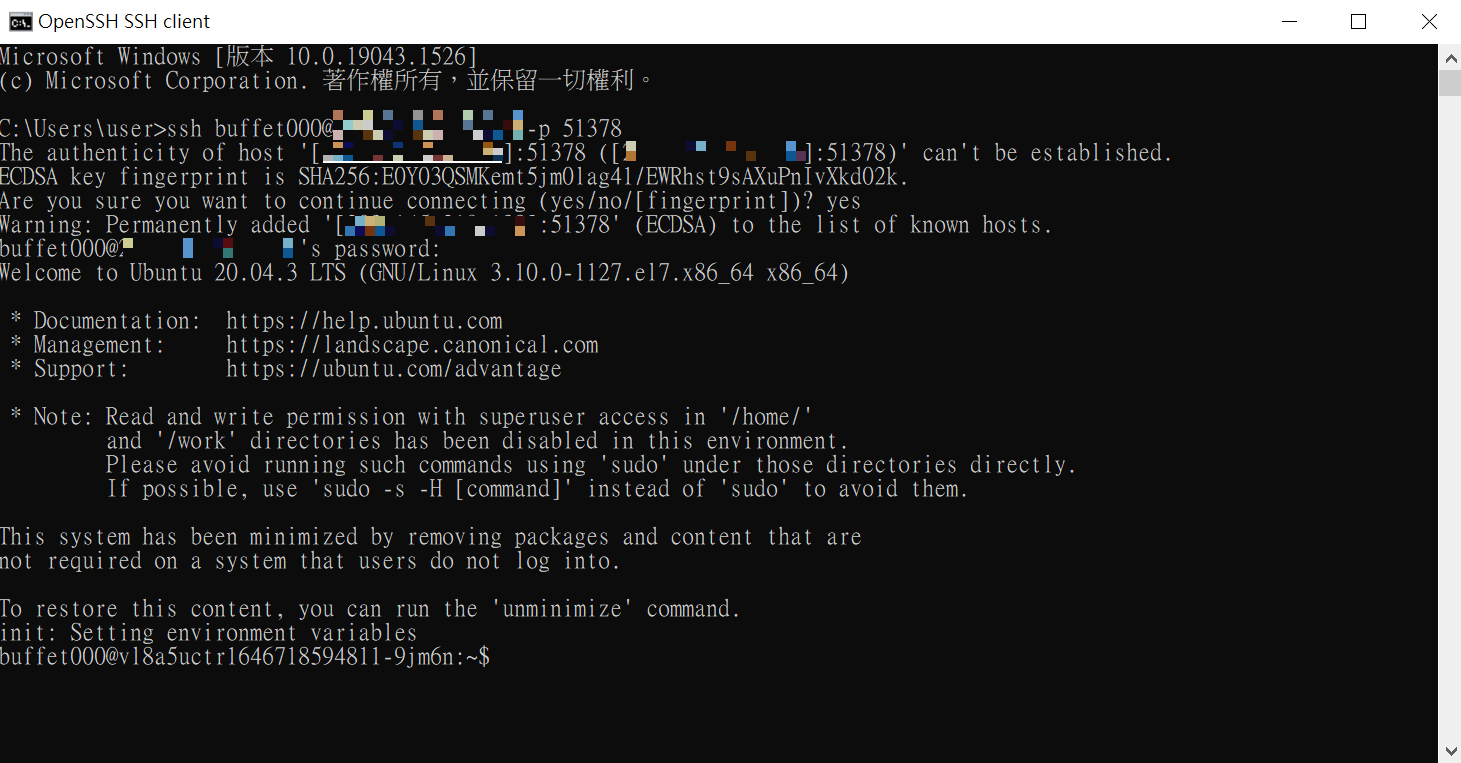
4. Enter the command to open a Jupyter notebook with /work as the homepage.
In the terminal interface, enter the following command to start Jupyter Notebook with /work as the home directory.
`nohup sudo -i -H -u <host account> /run_jupyter.sh --port=8888 --notebook-dir=/work/<host account> --config=/etc/jupyter/jupyter_notebook_config.py &`
Example of use
nohup sudo -i -H -u buffet000 /run_jupyter.sh --port=8888 --notebook-dir=/work/buffet000 --config=/etc/jupyter/jupyter_notebook_config.py &
Verification
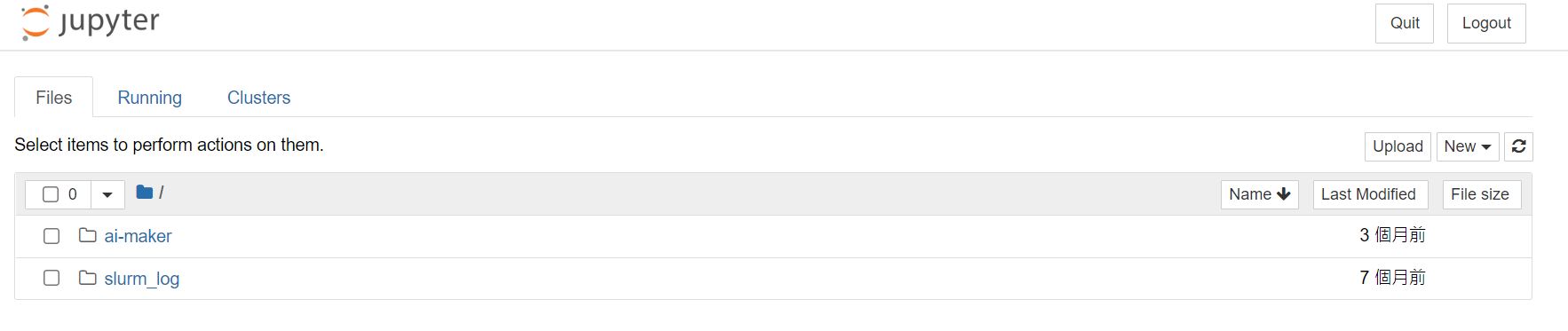
In the interactive container details, open Jupyter Notebook and check whether the main page’s data is stored under /work.
Notes
1. This modification only affects the target interactive container. If you open a second interactive container or delete and recreate the container, Jupyter Notebook will still default to /home.
2. Please note that /work is subject to periodic cleanup policies, and files stored under /work may be deleted.Implementing space cleanup policies may result in files placed under /work being deleted.
Image source: pexels