
1. Open PowerShell

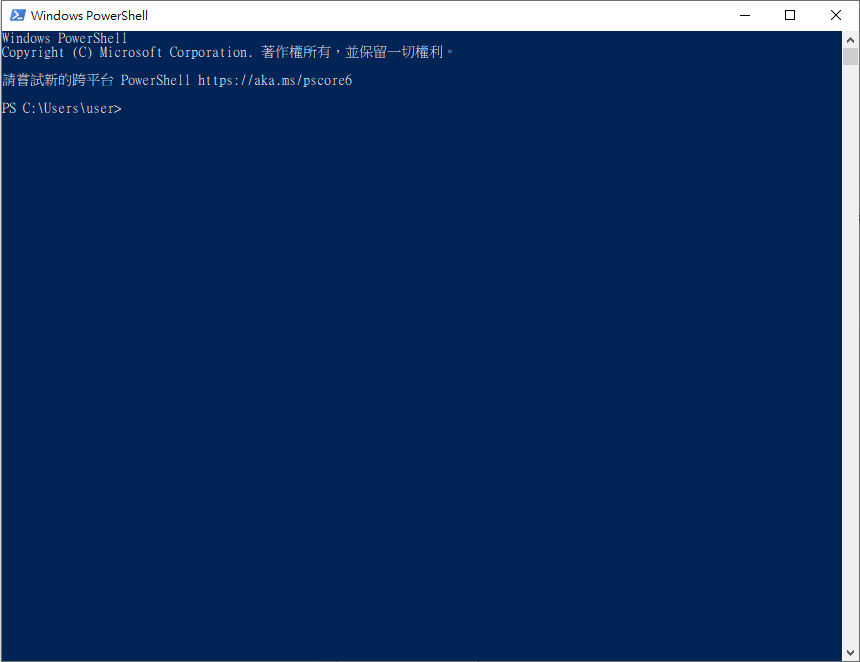
2. Inputssh-keygen
Enter the key three times to create a private key.
ssh-keygen
PS C:\Users\user> ssh-keygen
Generating public/private rsa key pair.
Enter file in which to save the key (C:\Users\user/.ssh/id_rsa):
Enter passphrase (empty for no passphrase):
Enter same passphrase again:
Your identification has been saved in C:\Users\user/.ssh/id_rsa.
Your public key has been saved in C:\Users\user/.ssh/id_rsa.pub.
The key fingerprint is:
SHA256:O██████████████████████████████████s happybuffet@hellobuffet
The key's randomart image is:
+---[RSA 3072]----+
|            +B=  |
|████████████████ |
| ████████████████|
|████████████████.|
|█████████████████|
|    ooooo. o +.B+|
| ███████████████=|
|    o   .  o.o = |
|███████████████.=|
+----[SHA256]-----+
3. Create a container
And go to theDetailed information page of the container. Get SSH connection information
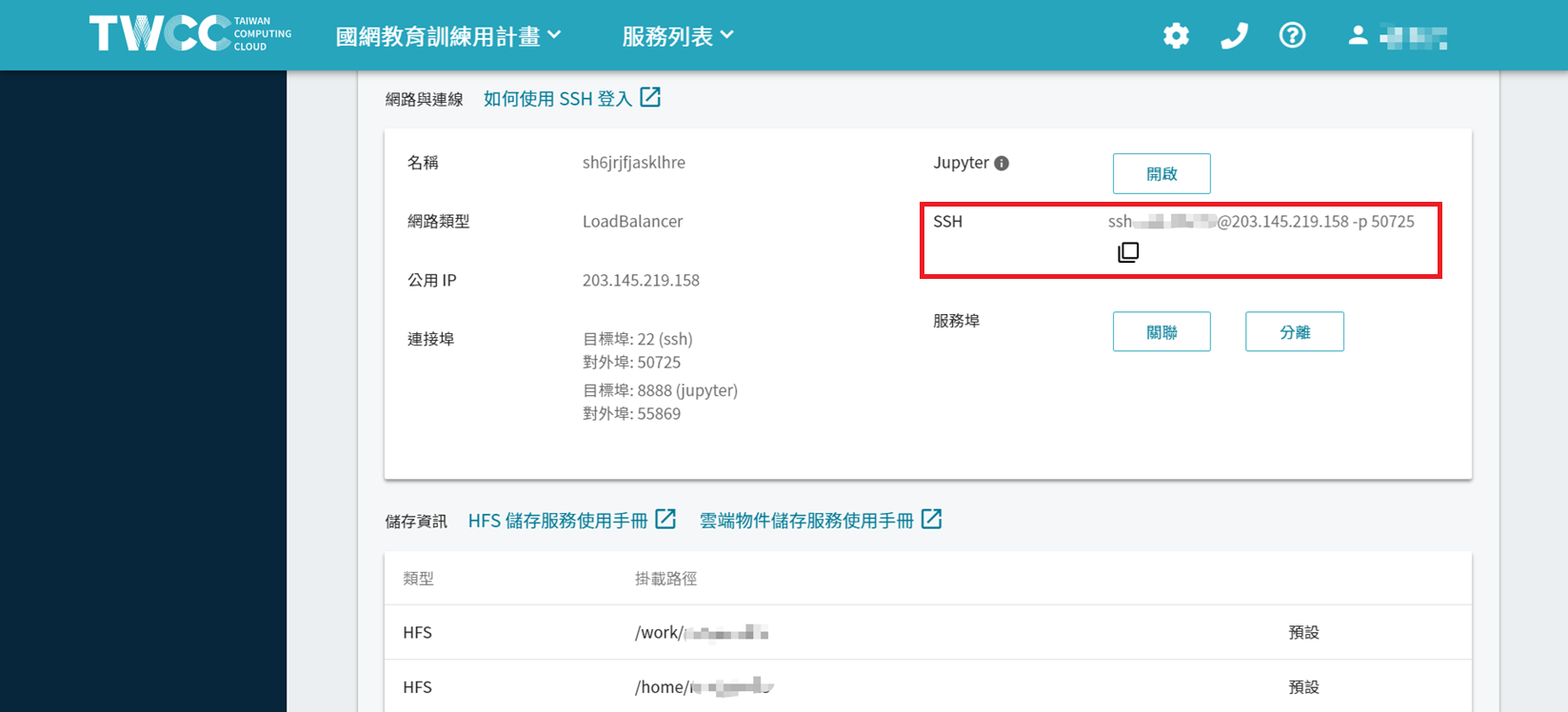

4. In PowerShell Enter the following command
Next, after entering the host password, upload the key to log in to the container.
type $env:USERPROFILE\.ssh\id_rsa.pub | ssh {IP-ADDRESS-OR-FQDN} "cat >> .ssh/authorized_keys""
Demo command:
type $env:USERPROFILE.ssh\id_rsa.pub | ssh [email protected] -p 50725 "cat >> .ssh/authorized_keys"“
5. login test
Connect by typing ssh in PowerShell
Demo command:
ssh [email protected] -p 50725
Are you sure you want to continue connecting (yes/no/[fingerprint])?Enter yes


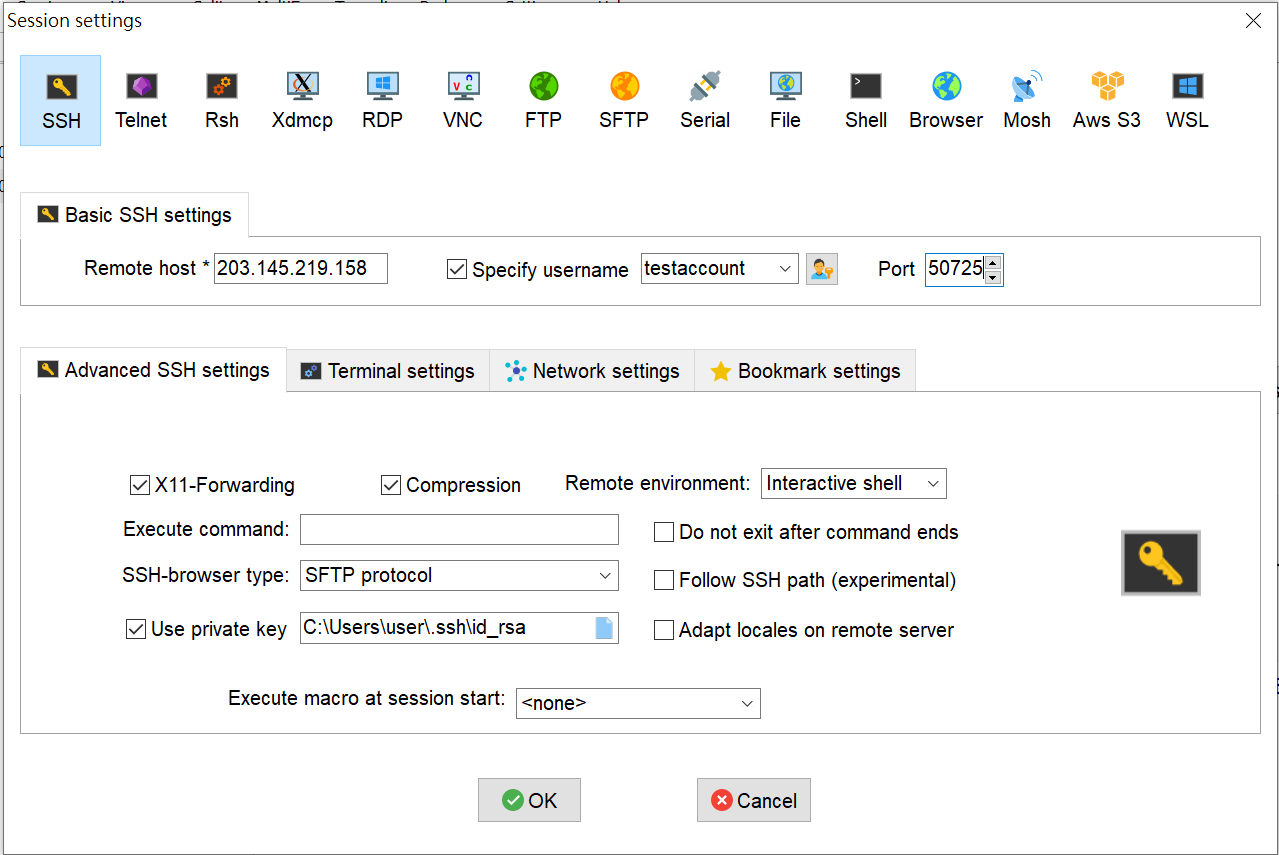
6. Use Mobaxterm to connect
Refer to the image below and enter the IP address, host account, and port number.
The key path refers to the location of the RSA key established in step two.
Reference path:C:\Users\user\.ssh\id_rsa

7. Delete the created container
On the interactive container management page, delete the container you created.
Since the key has already been uploaded to the HFS space, the newly added interactive container and the xdata1 node for uploading data will be used subsequently.
You can log in directly using the newly added key.
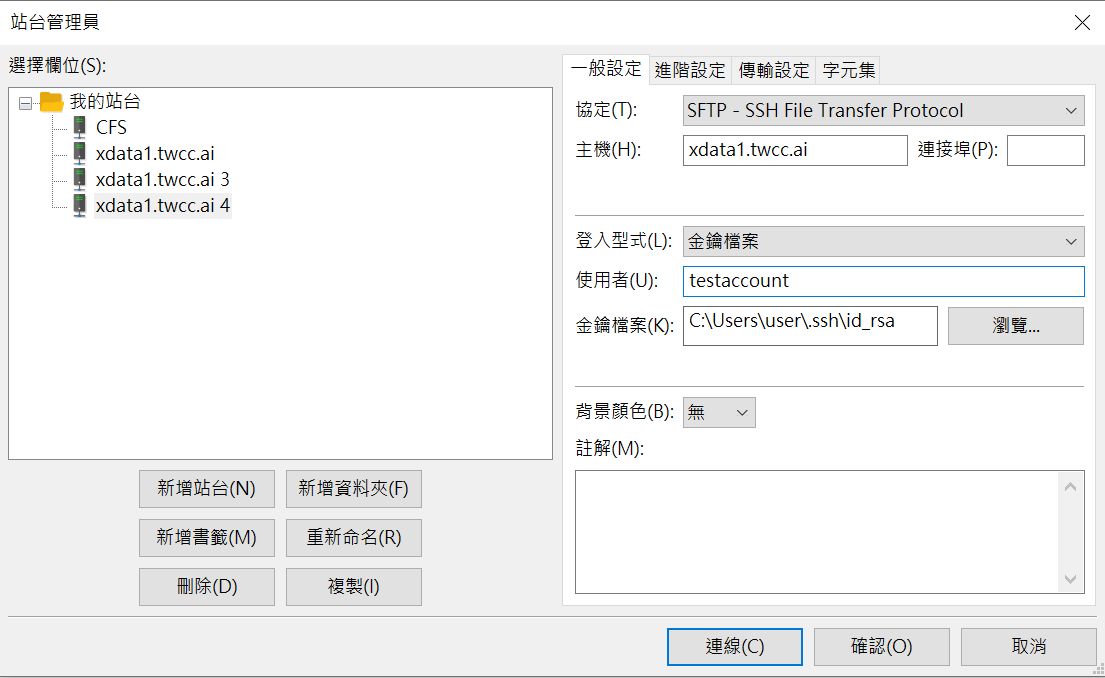
8. Use FILEZILLA to connect
Refer to the image and parameters below.
Protocol: SFTP
Host:xdata1.twcc.ai
Port number: 22
Login type: Key file
User: Host Account
Directory of the key file (for reference):C:\Users\user\.ssh\id_rsa