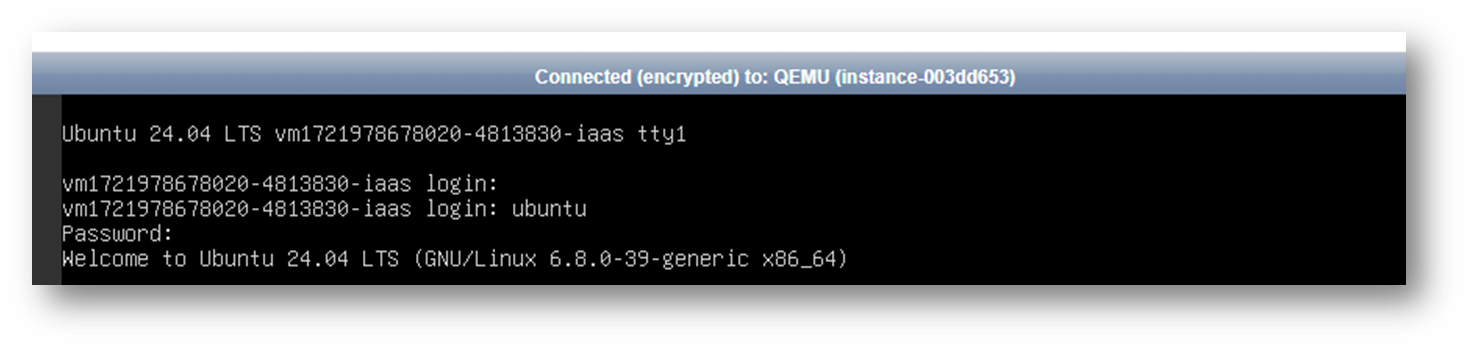
If you are unable to log in to your VCS Linux instance via standard SSH connection due to specific configuration changes or a lost key pair file, you can follow these steps (using Ubuntu as an example) to enter Safe Mode, create a password-based account, and repair the instance.
Procedure
Step 1. Connect to VCS via Console
Connect to your VCS using the rapid debugging and maintenance tool: VCS Console
Step 2. Enter safe mode
Click SendCtrlAltDel at the top right of the Console, then immediately and repeatedly press the Esc key on your keyboard.
※ You must press Esc very quickly. If you fail to reach Step 3, please repeat Step 2.

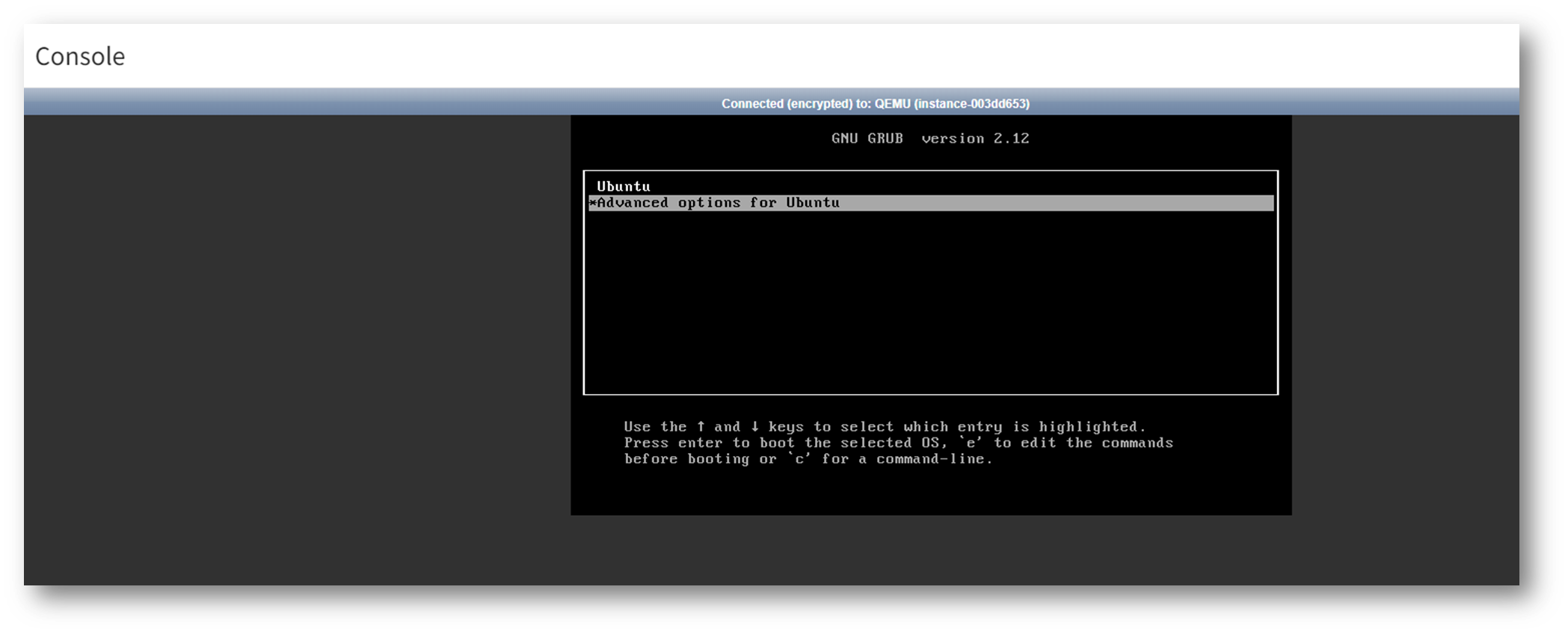
Step 3. Select Advanced options for Ubuntu
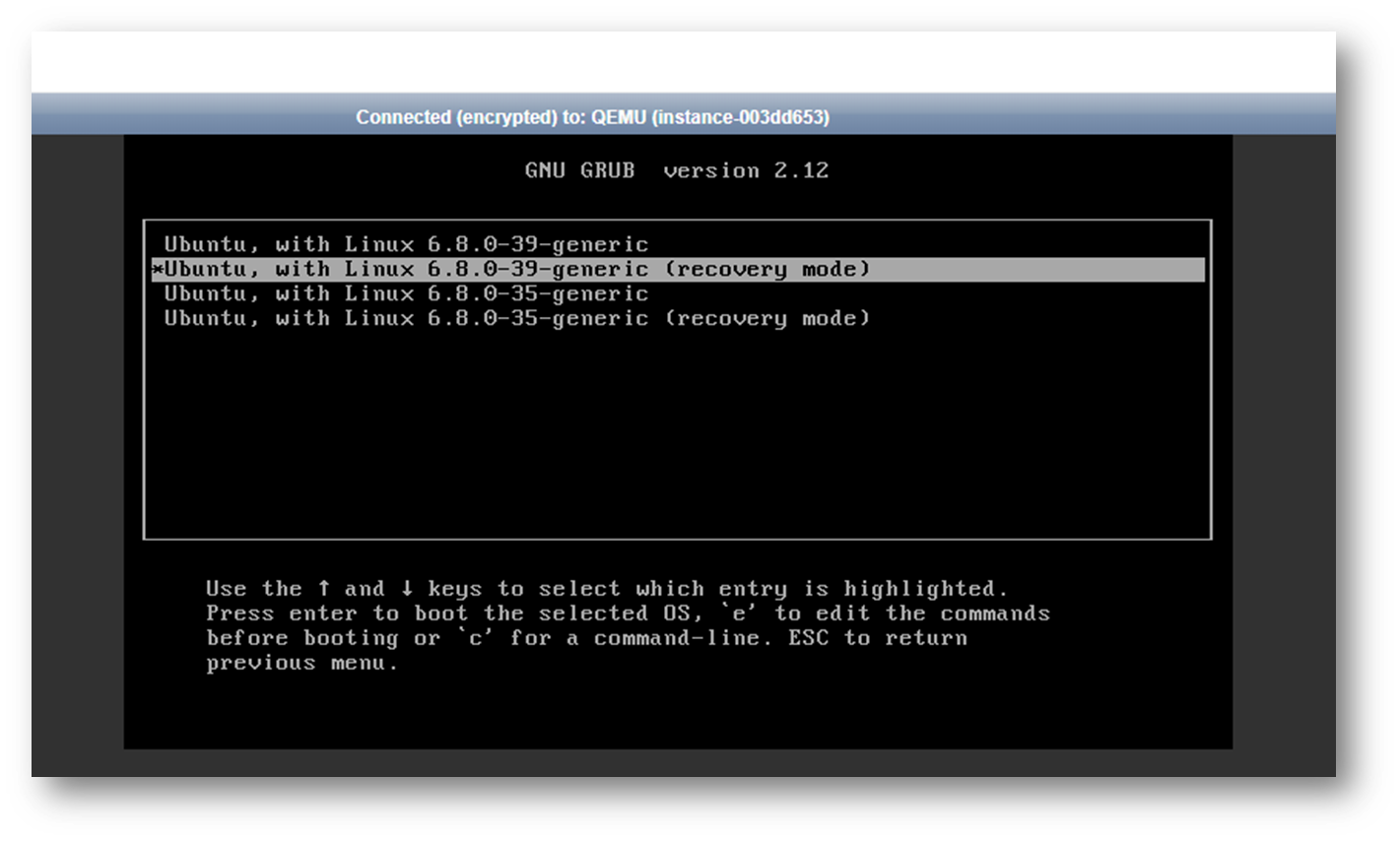
Step 4. Select recovery mode
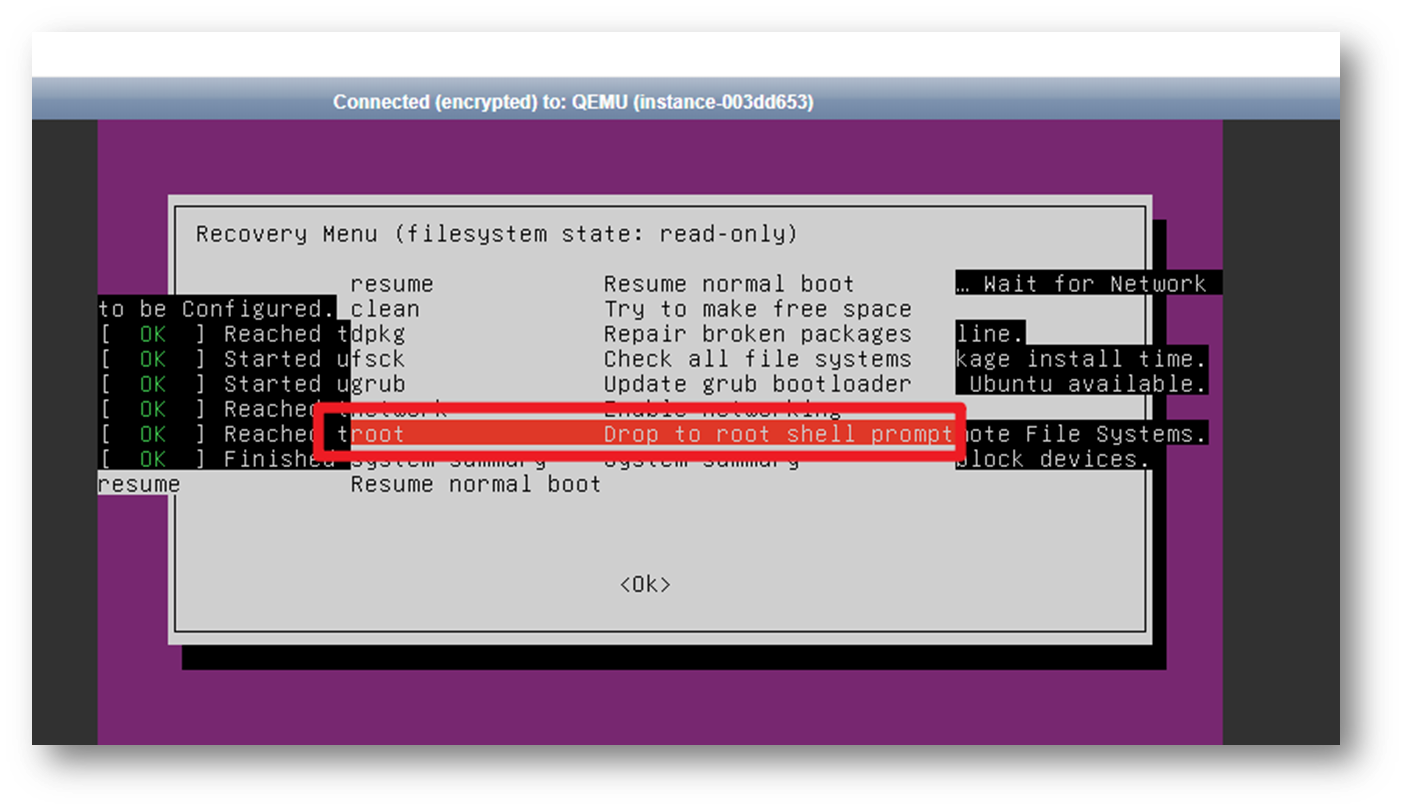
Step 5. Select root
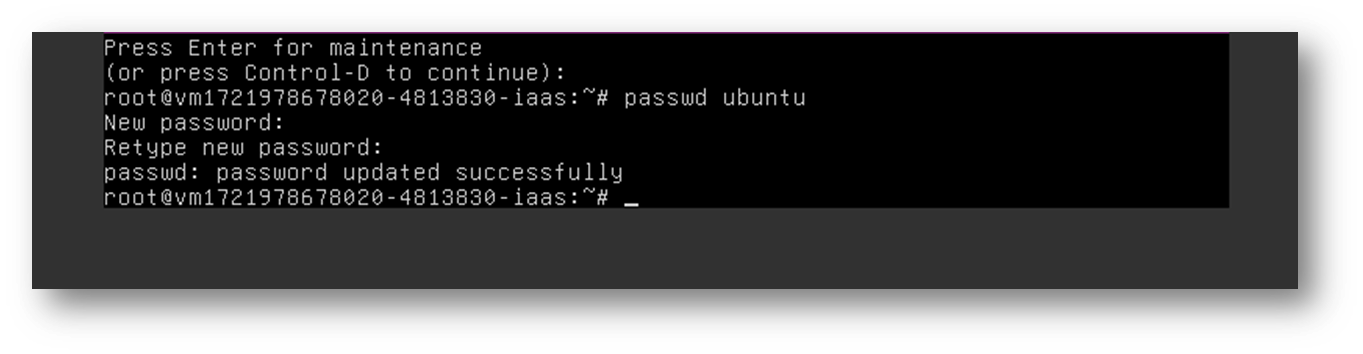
Step 6. Create Account Password
- Press Enter
- Type `passwd ubuntu`: Set a password for the account "ubuntu".
- Enter password
- Re-enter the password to confirm.
Step 7. Reboot
Click SendCtrlAltDel at the top right of the Console to reboot the system.
Step 8. Log in with Credentials
Once the reboot is complete, you can log in to your VCS instance using the credentials you just created:
- Account: ubuntu
- (The password you set in Step 6)