

By integrating Veeam with COS, users can conveniently manage their COS storage. This article explains how to connect Veeam to COS.
Procedure
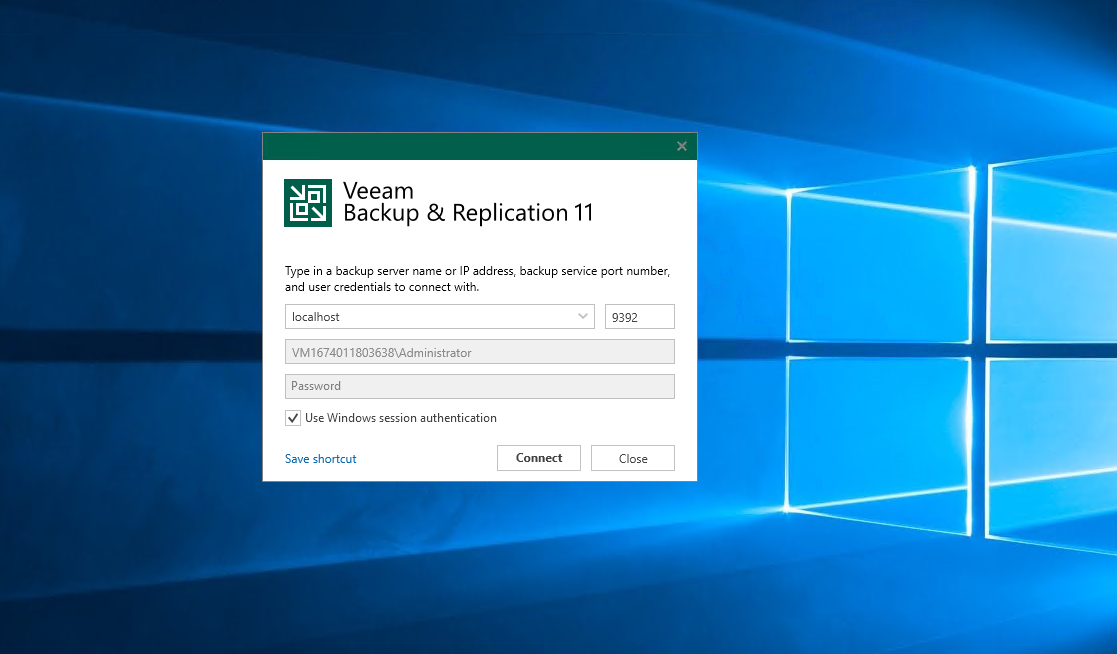
1. Open Veeam Backup & Replication Console
ClickConnect
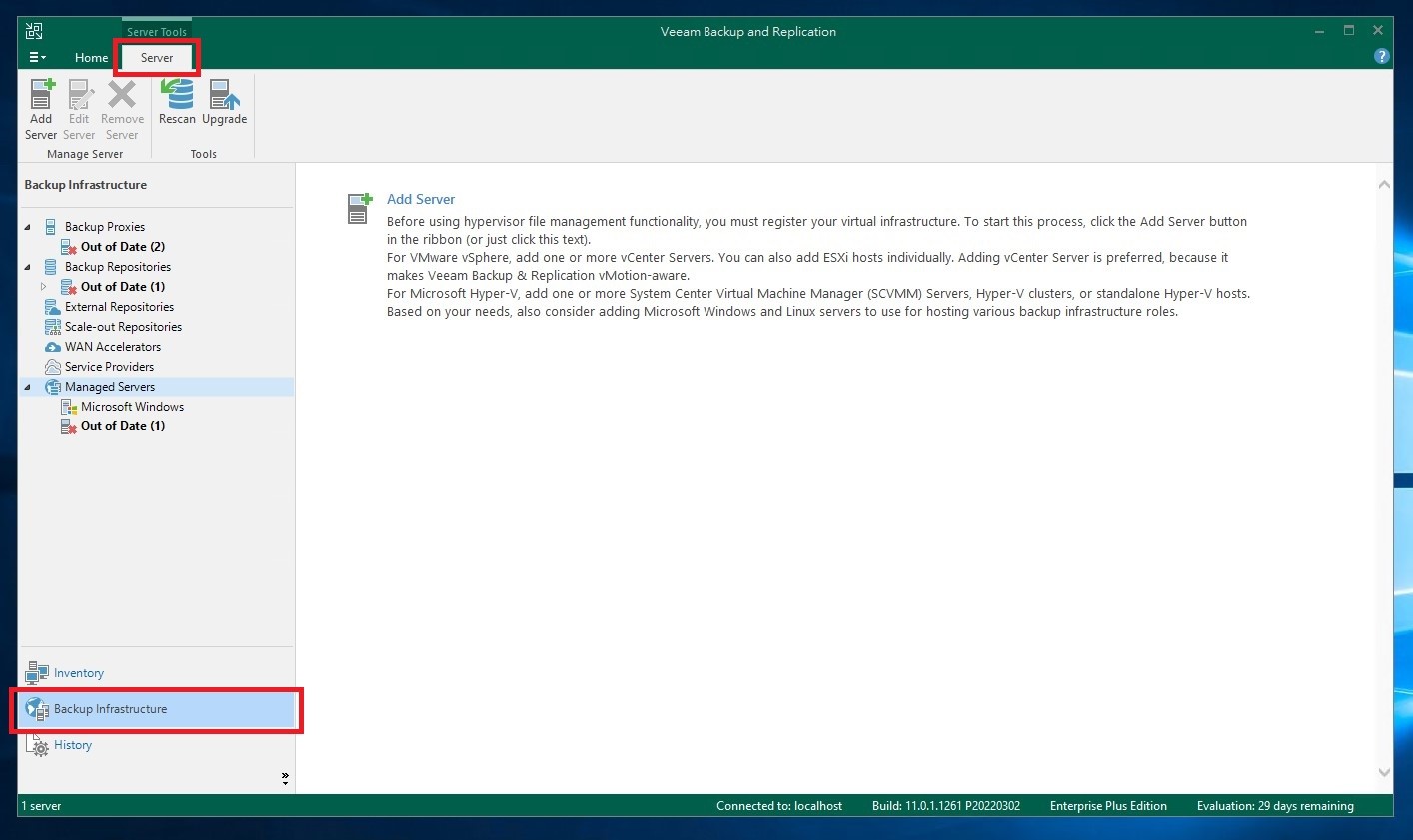
2. Backup Repositories Settings
ClickServerand Backup infrastructure
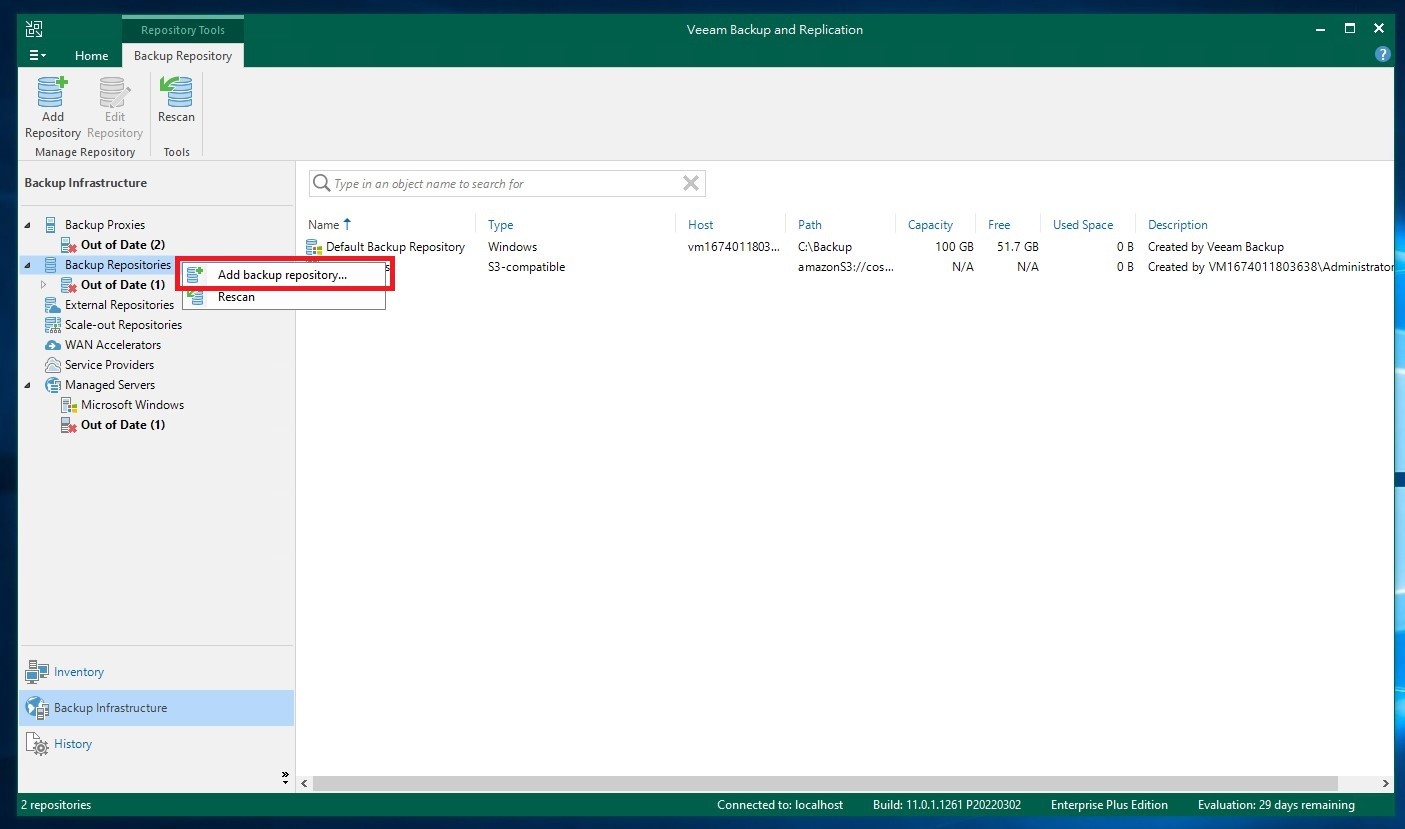
3. Add a New Repository
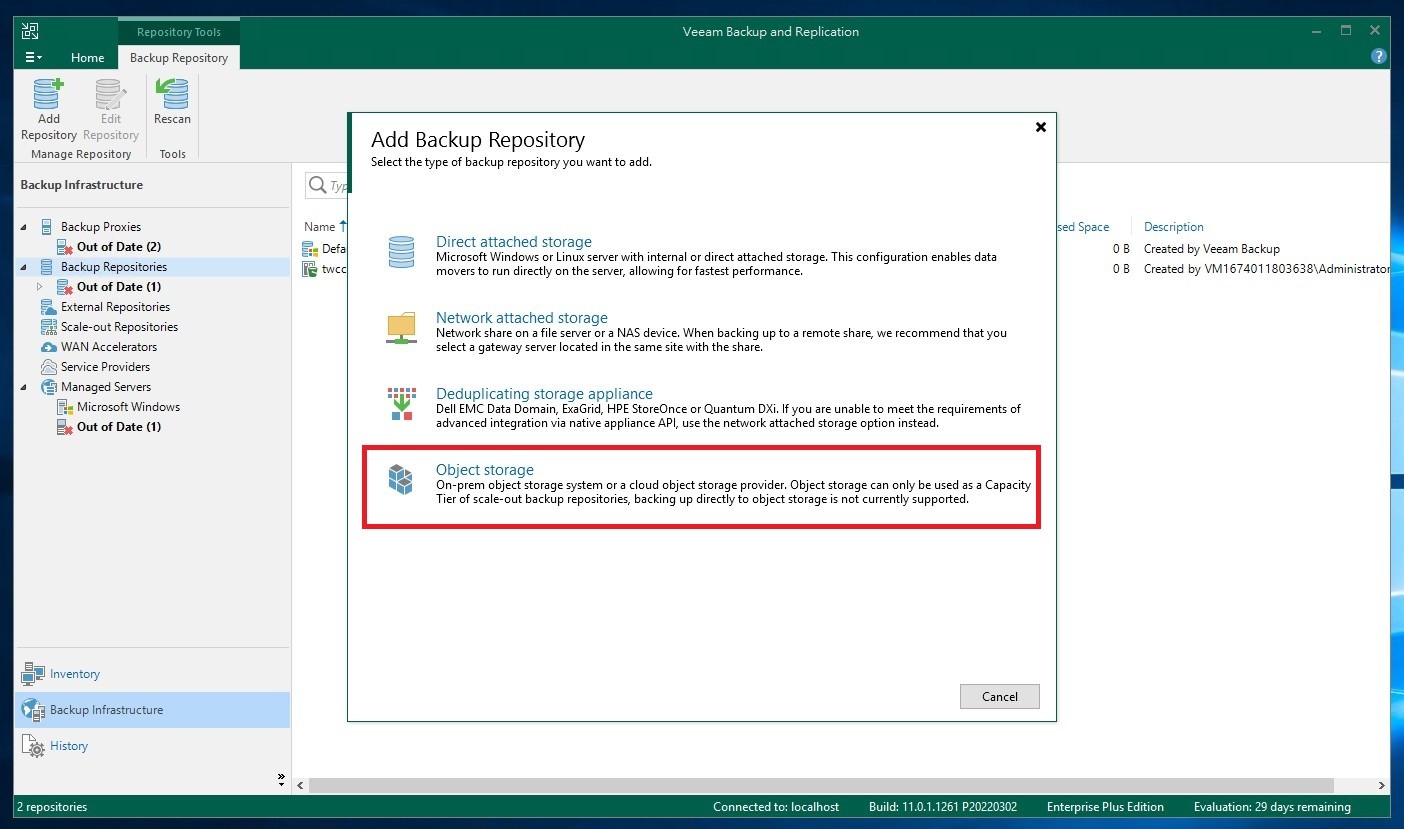
4. SelectObject storage
5. SelectS3 compatible
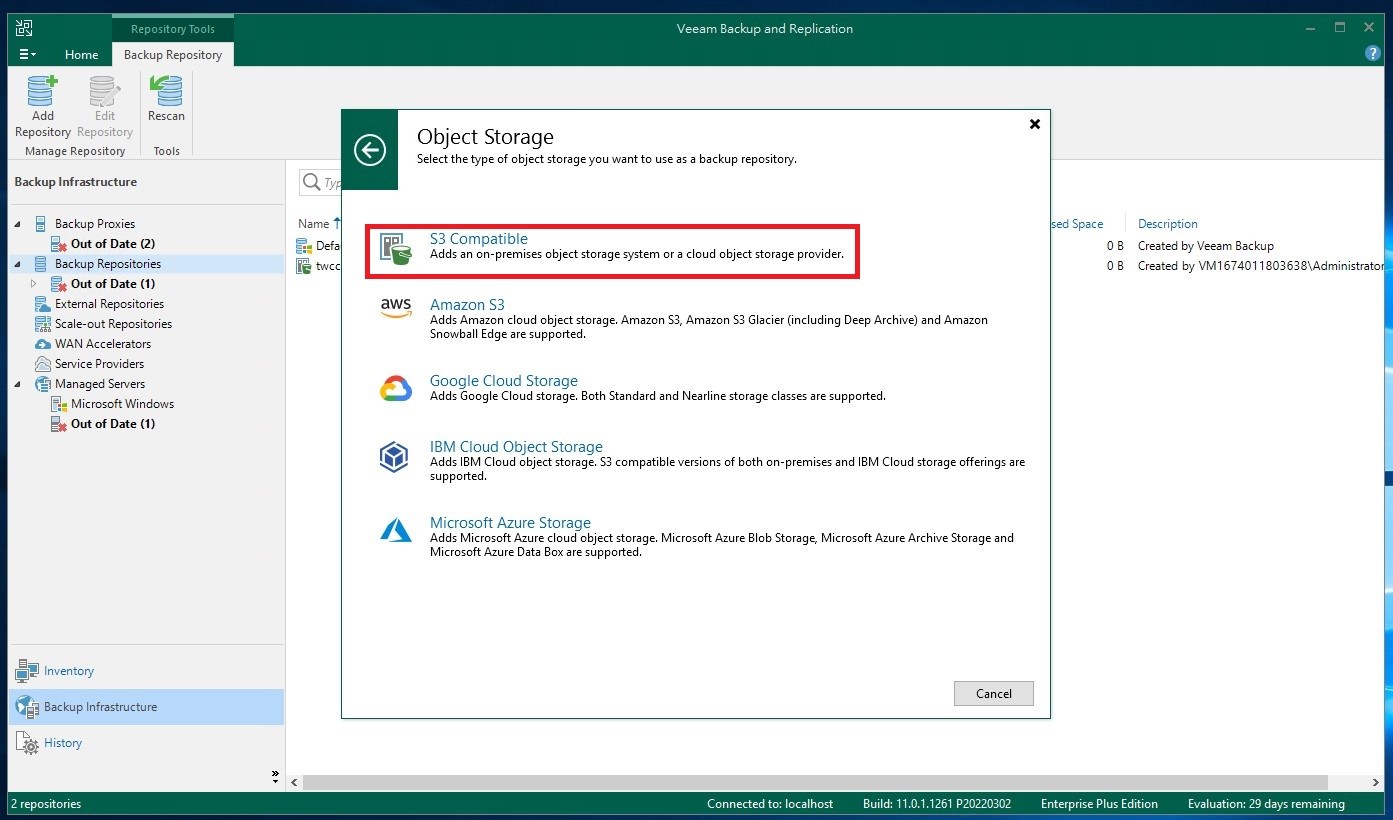
6. Create a repository

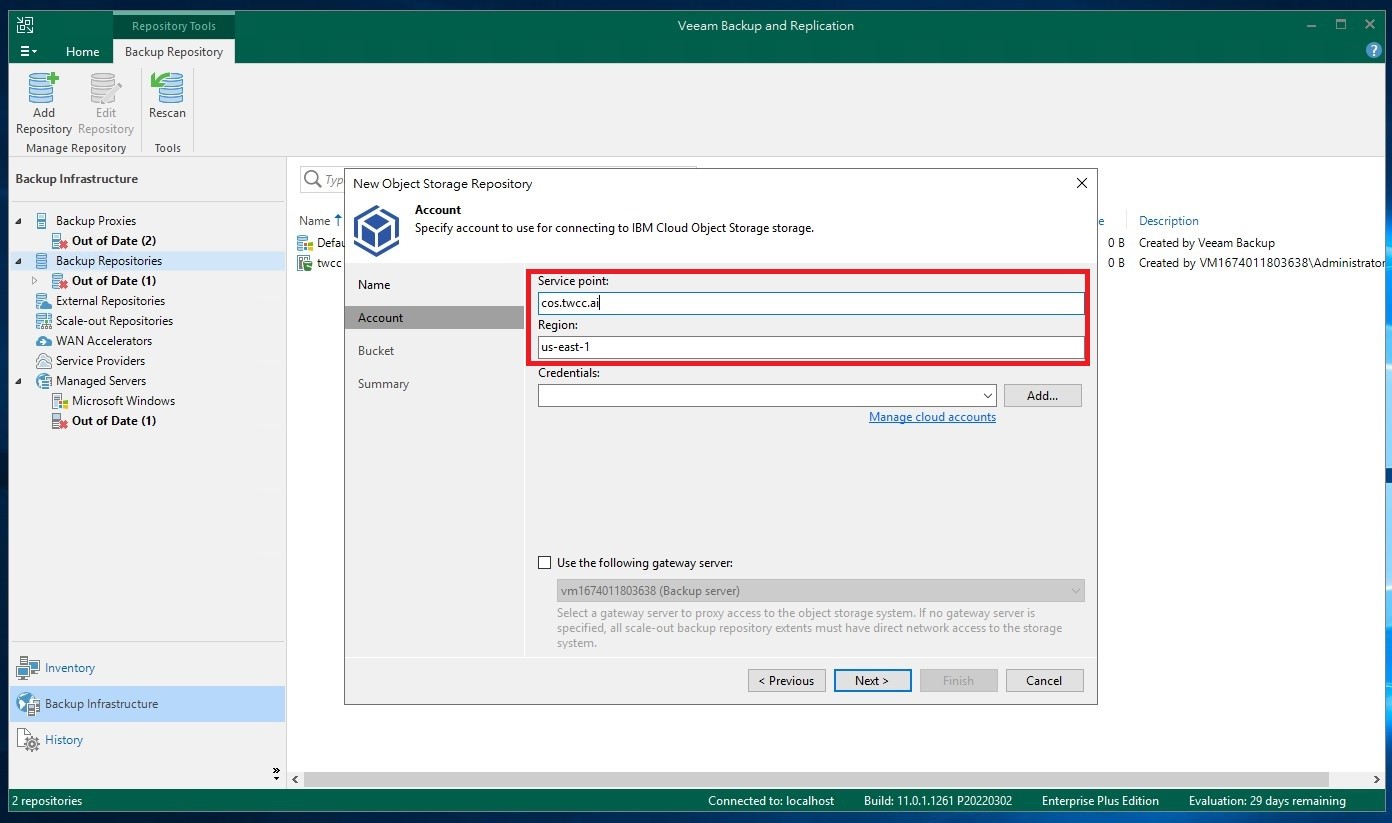
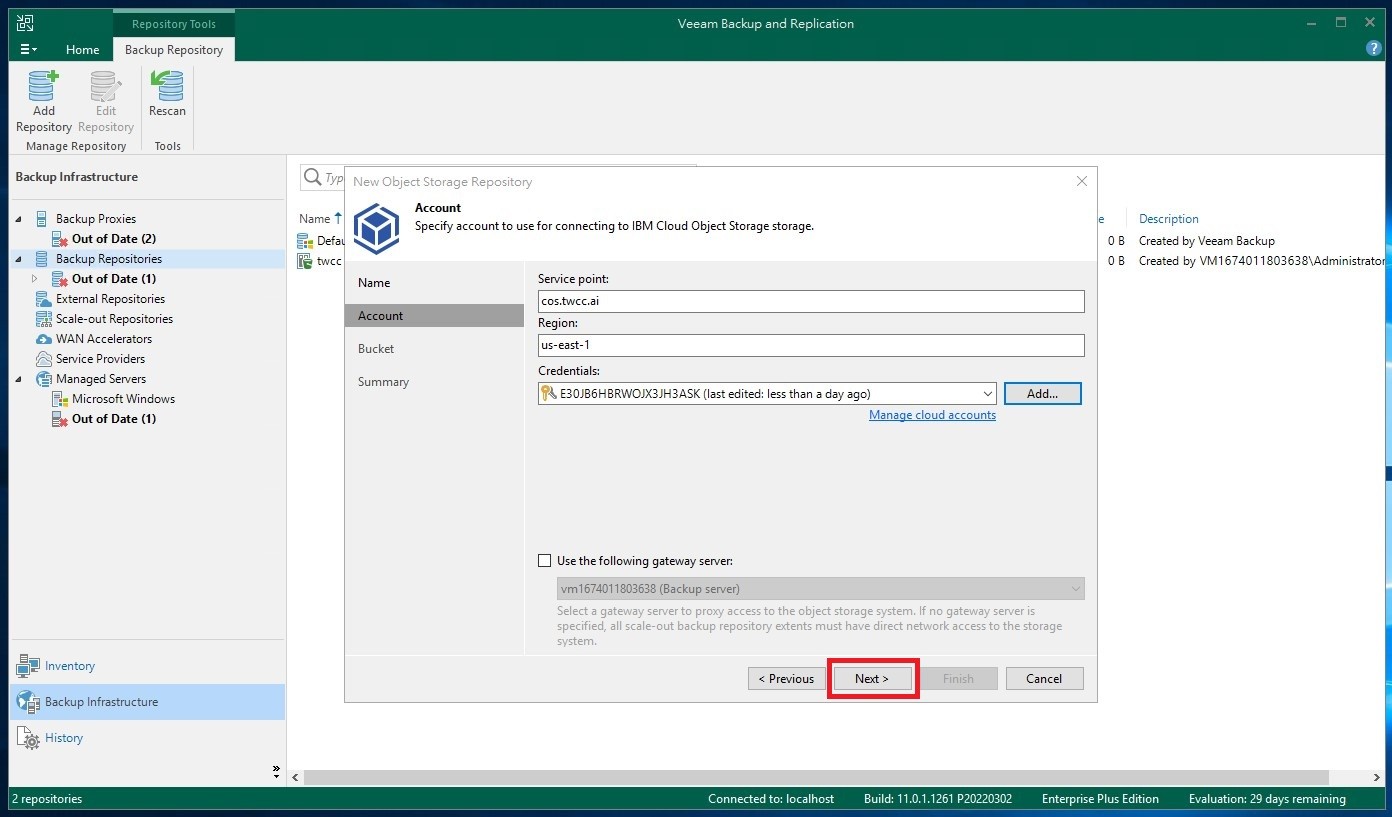
7. Enter Account Information
Please refer to the following information:
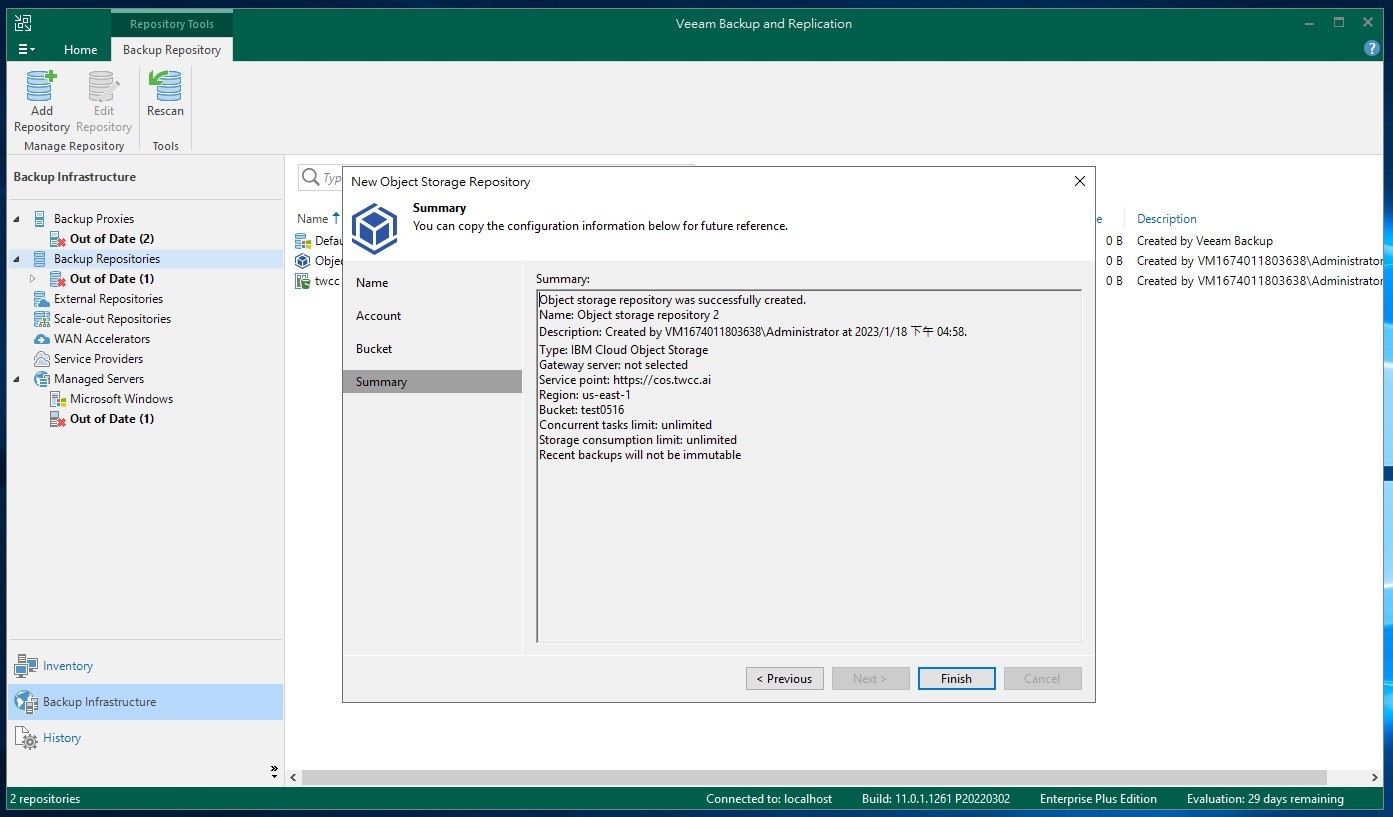
Service Point: cos.twcc.ai
Region: us-east-1
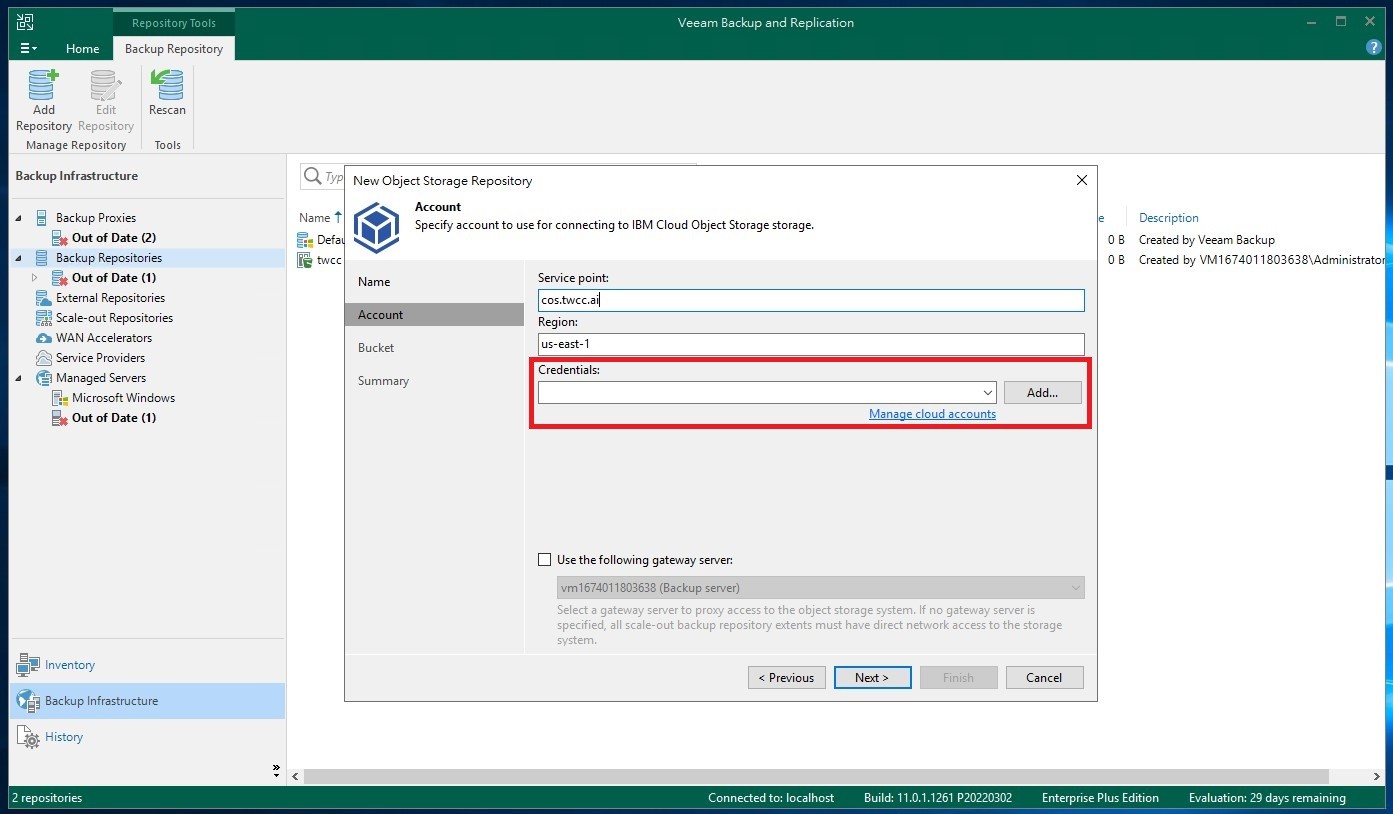
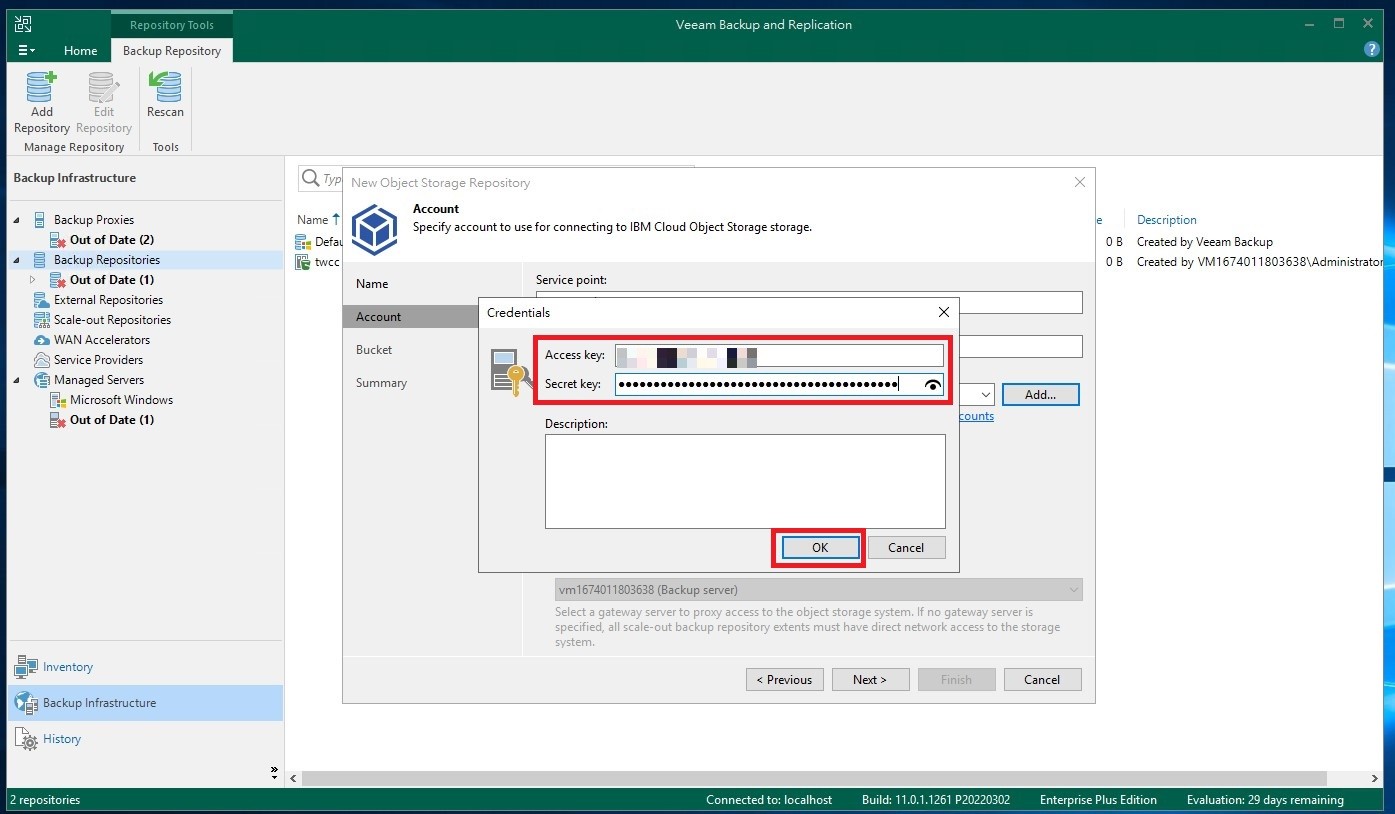
8. Enter Access Key and Secret Key
Go to the TWCC third-party software page to obtain your Access Key and Secret Key. After entering the information, clickOK.
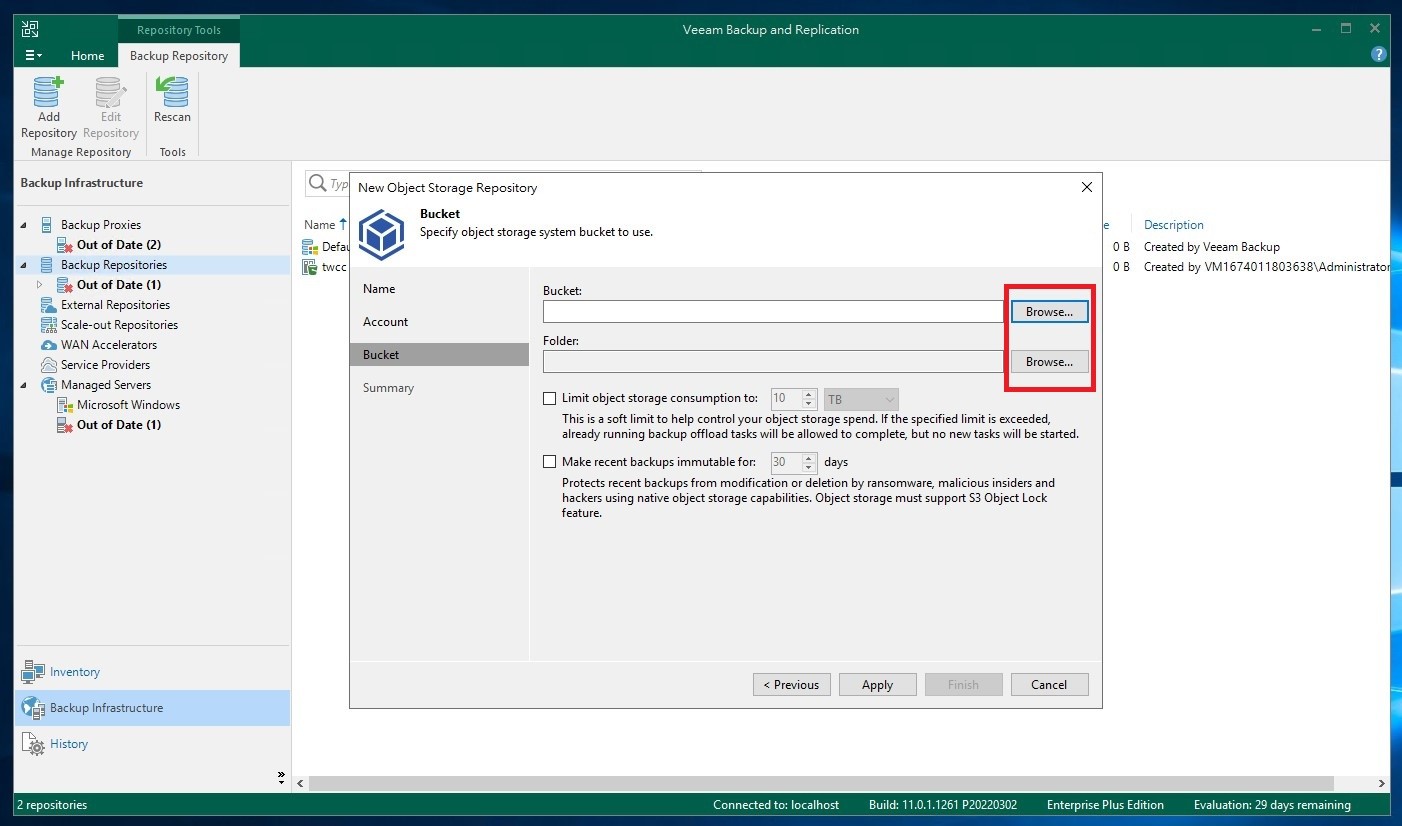
9. Configure Storage and Folder
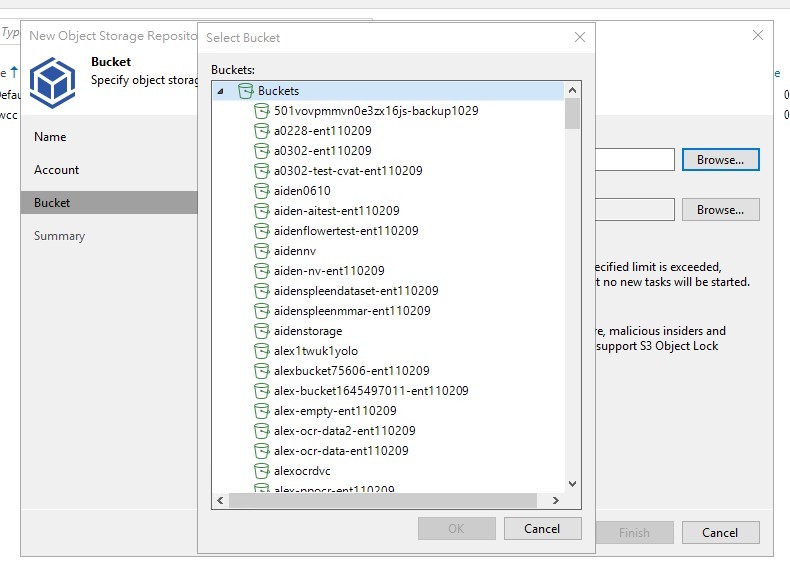
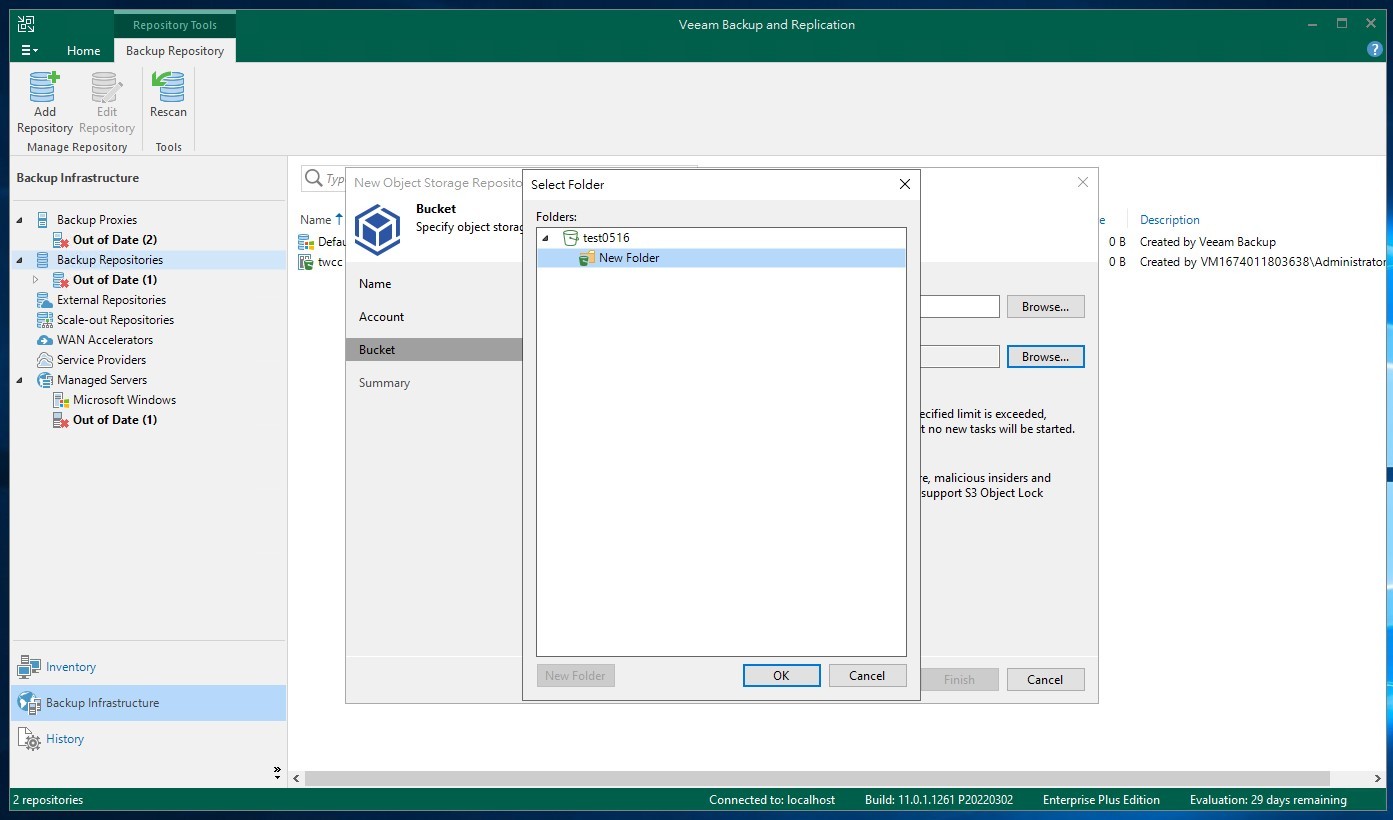
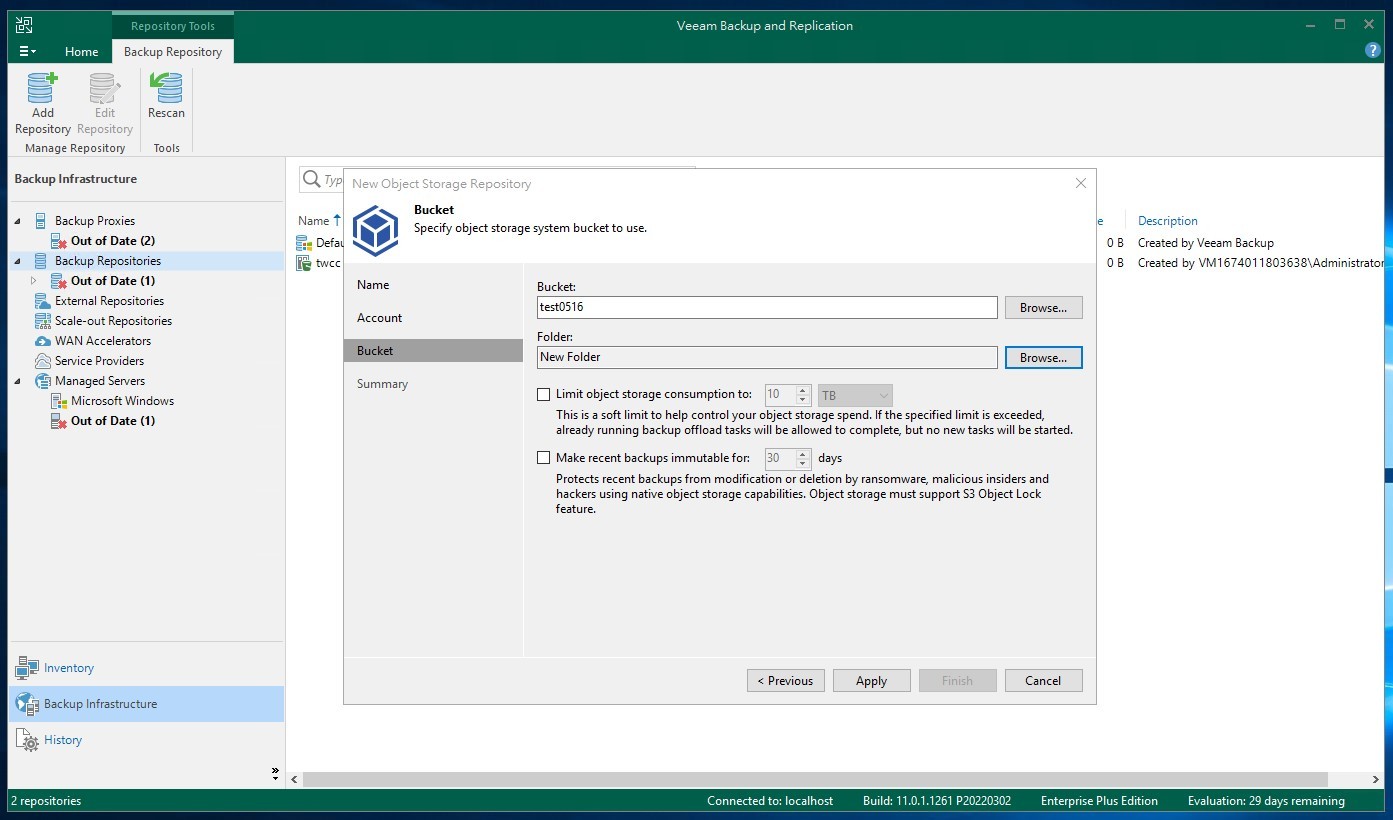
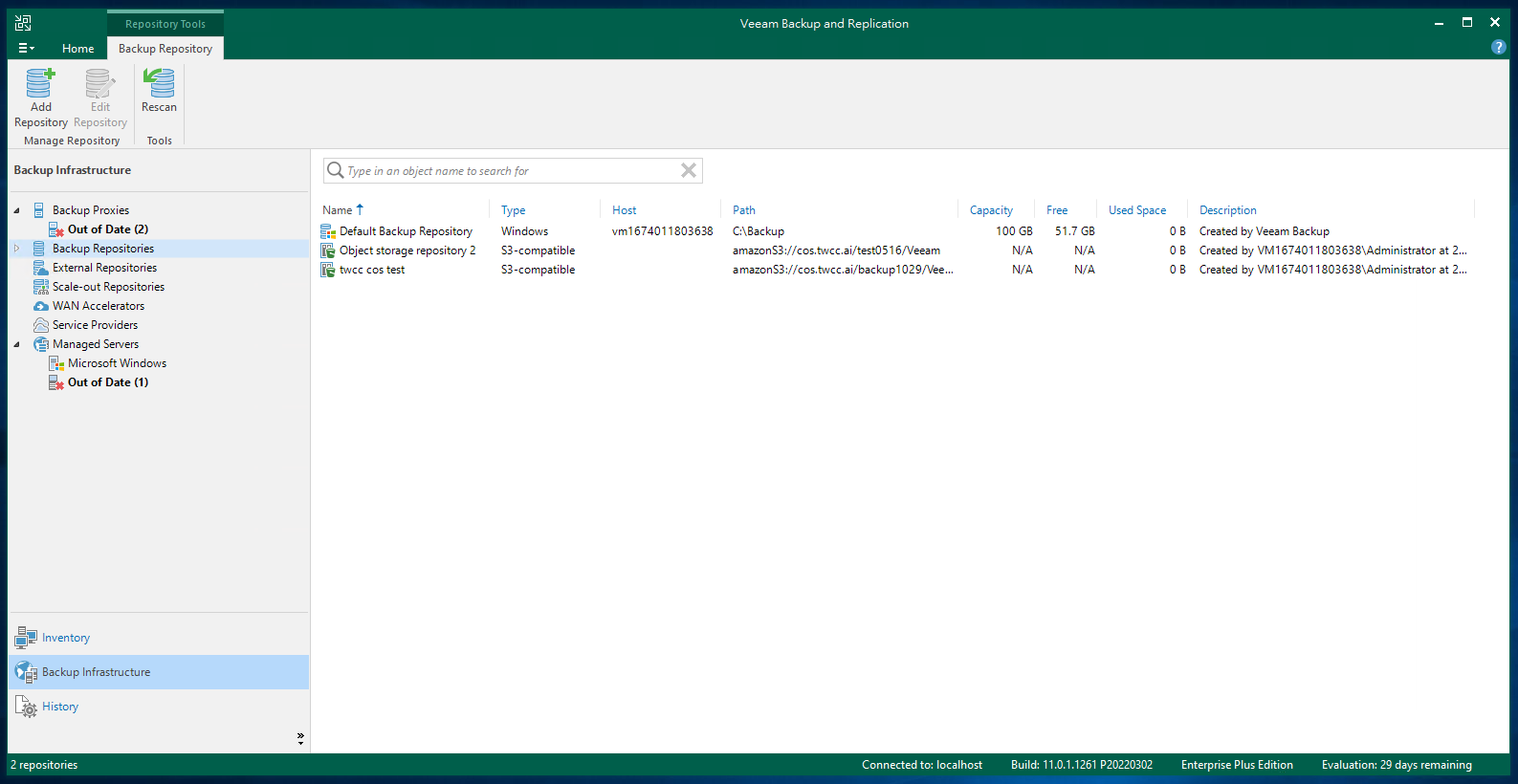
10. Complete Configuration
Additional Notes
- For information on steps 7 and 8, please refer toConnecting Information.
- For additional configuration details, seeVeeam Backup & Replication 11.